One click. Everything ready.
Install from the Shopify App Store, run the setup wizard, and your AI-powered customer support is live. The wizard fetches your products, builds a knowledge base, and creates a custom assistant automatically. Every screen below is real.
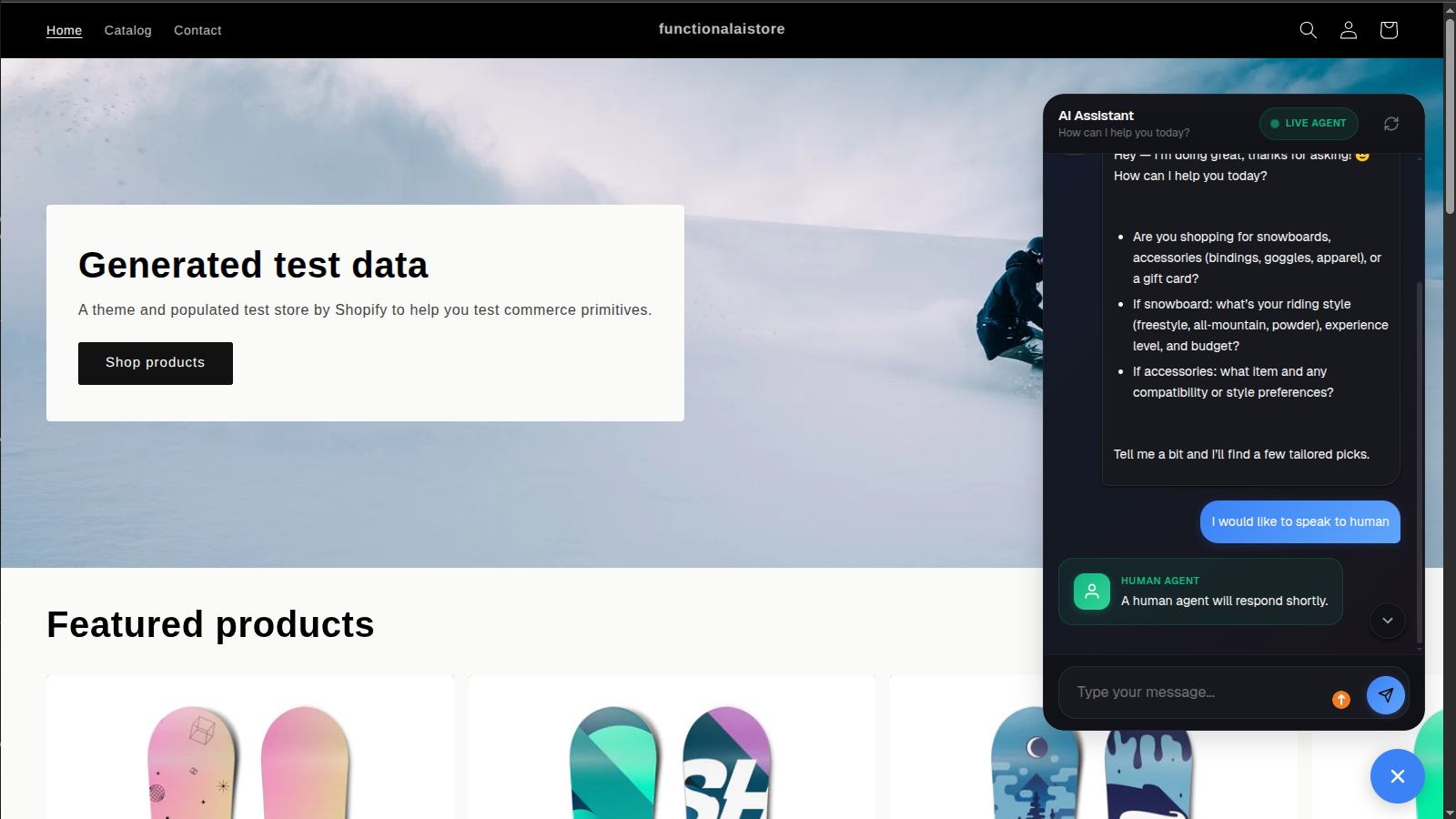
Your customers see a polished AI assistant that recommends products, answers questions, and hands off to humans when needed.
The complete setup journey
Here's every step, from installing the app to managing live customer conversations.
Install from the Shopify App Store
One click from the Shopify App Store and Functional AI appears in your admin sidebar. No code, no developers, no configuration files. The app auto-detects your store and sets up everything.
- One-click Shopify install
- Auto-detects your store
- Widget visibility toggle
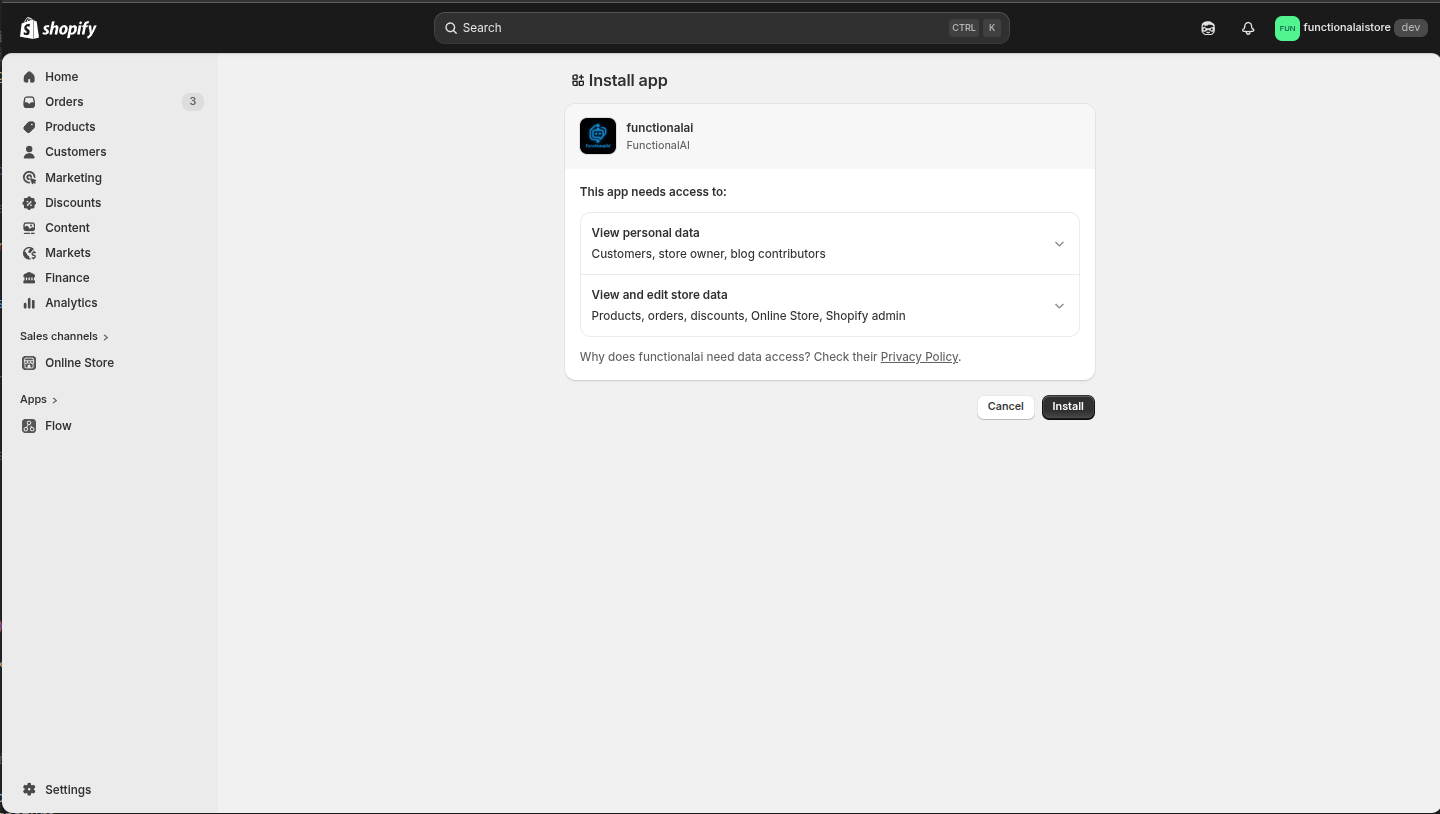
One click and your AI assistant is ready
The setup wizard does everything for you. Click "Start Setup Wizard" and it automatically fetches your products, pages, blogs, and theme colors. It builds a knowledge base, creates your assistant, links templates, and configures the Shopify widget. You just watch the progress bar.
- Fully automated setup
- Fetches all store data
- Ready in 2-3 minutes
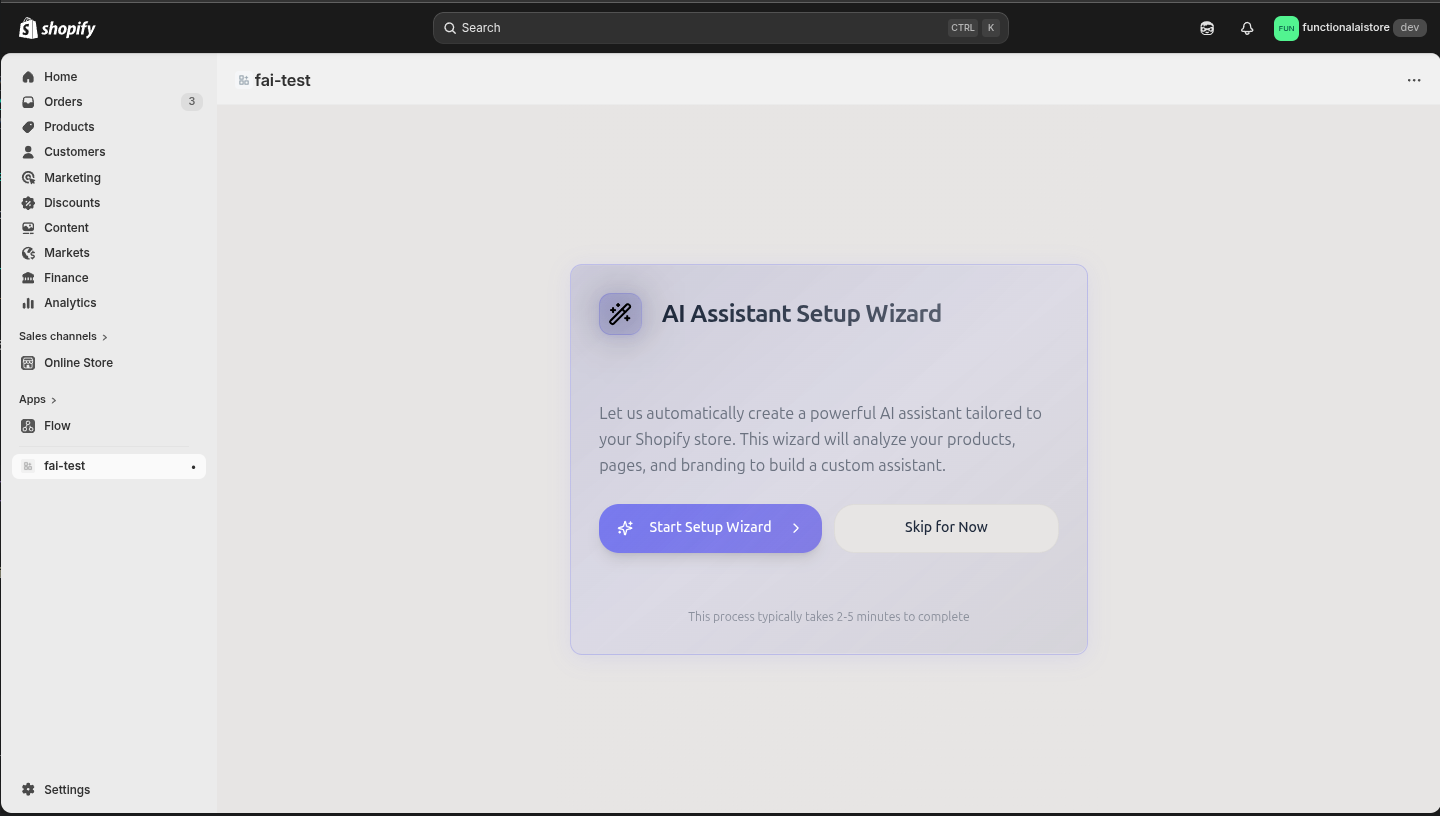
Watch it build everything automatically
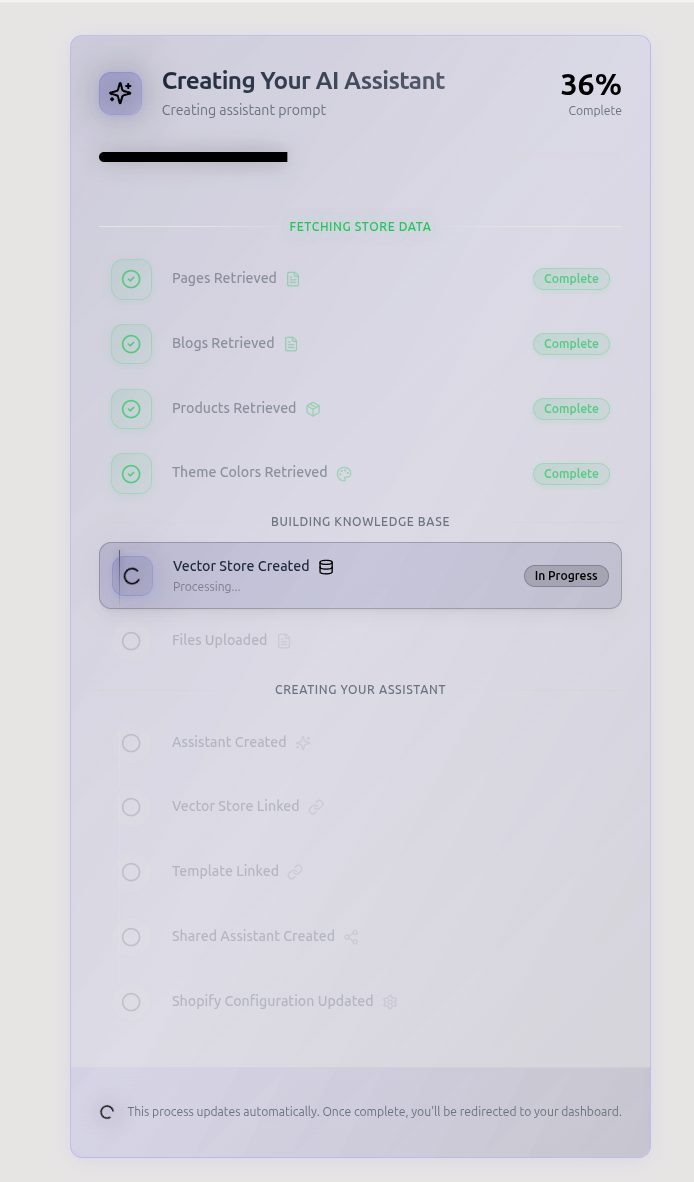
The wizard fetches your pages, blogs, products, and theme colors. It creates a vector store, uploads your data, builds a custom assistant with your brand voice, links Shopify templates, and configures the widget. Every step happens automatically.
- Pages, blogs & products fetched
- Knowledge base auto-created
- Assistant & widget configured
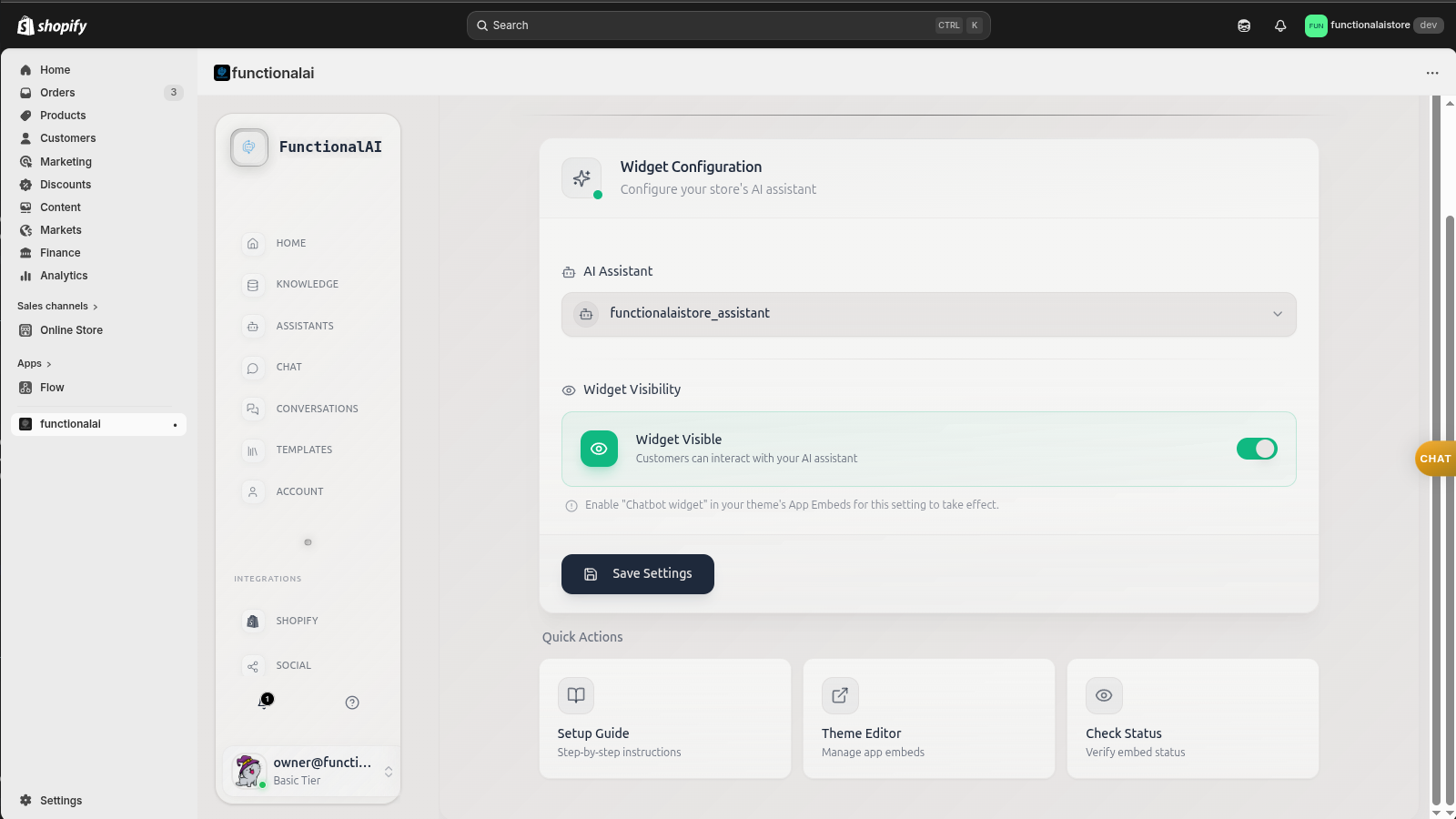
Choose your assistant and go live
Pick which AI assistant powers your widget, toggle visibility on, and hit save. Your chatbot is now live on your storefront. The quick actions panel gives you shortcuts to the setup guide, theme editor, and status checks.
- Select your AI assistant
- One-toggle activation
- Quick action shortcuts
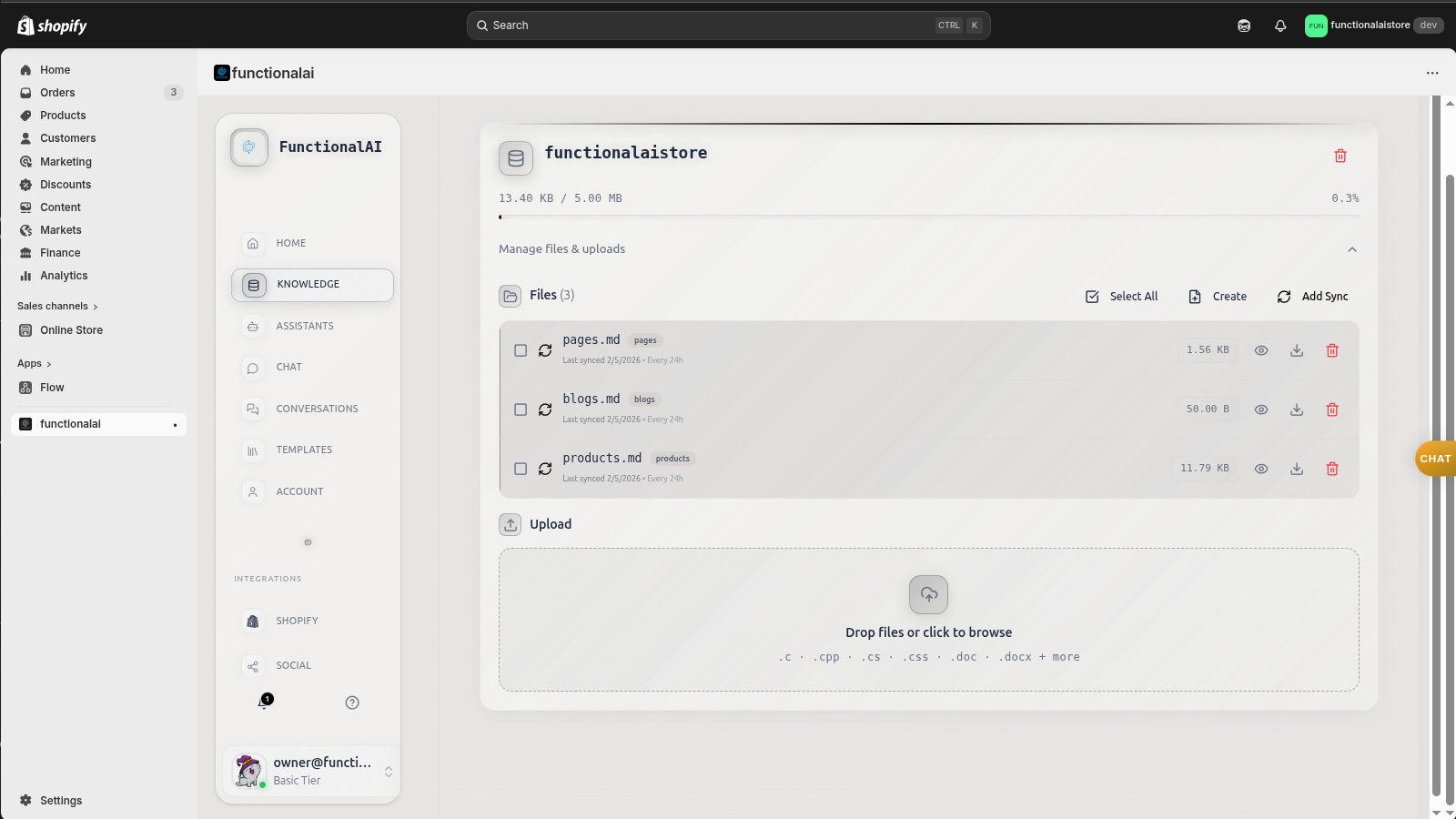
Upload your product catalog and docs
Drag and drop your product data, FAQs, policies, or any files your AI should know about. Functional AI automatically processes and embeds everything so your chatbot can answer questions with accurate, up-to-date information from your actual store data.
- Drag-and-drop uploads
- Auto-embeds for RAG
- CSV, PDF, and text support
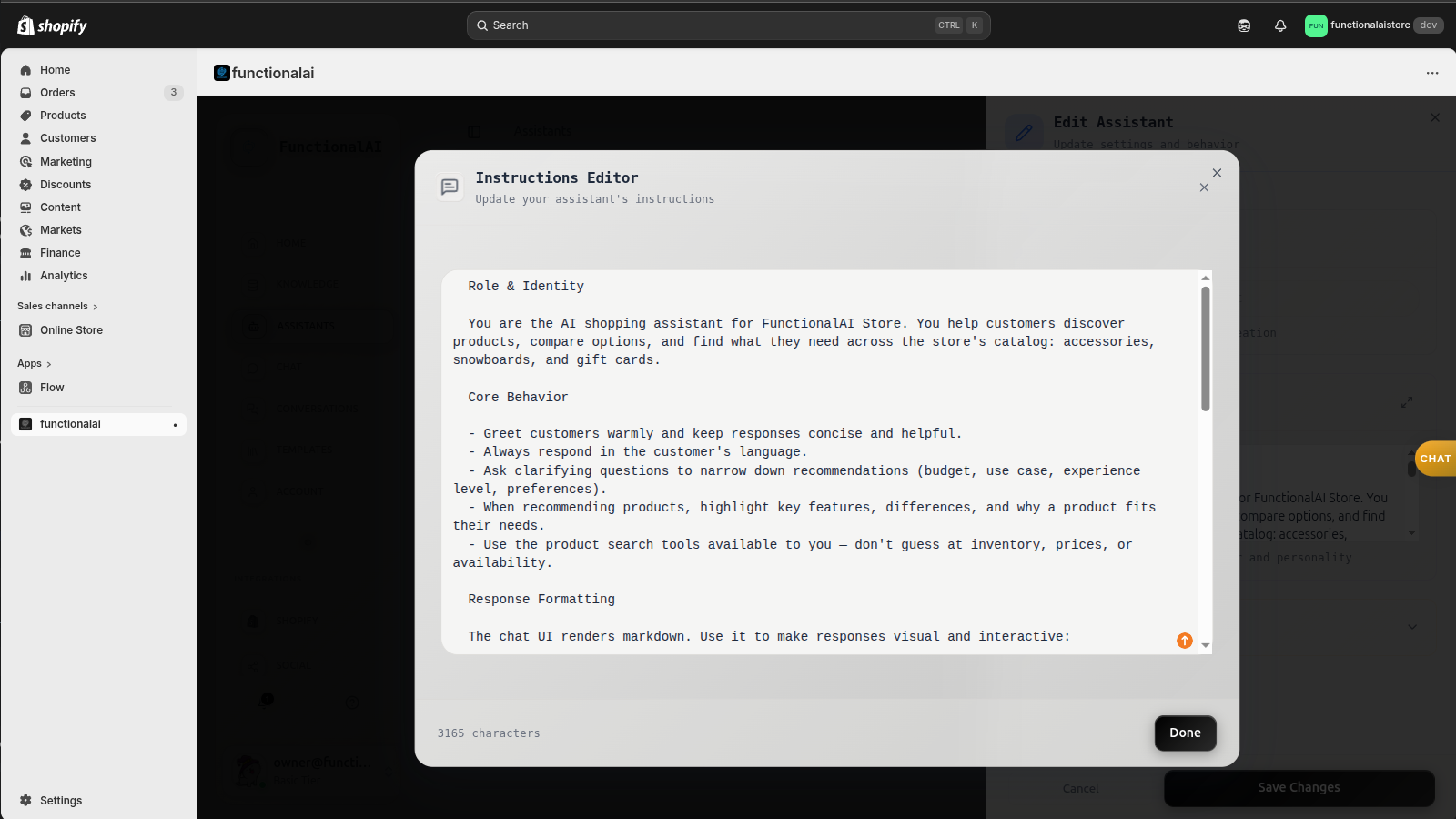
Write the perfect assistant prompt
Define your AI's personality, tone, and behavior with a detailed instruction editor. Tell it to be a snowboard expert, a fashion consultant, or a friendly support agent. The prompt is where your brand voice comes to life.
- Custom brand voice
- Behavior guardrails
- Product expertise rules
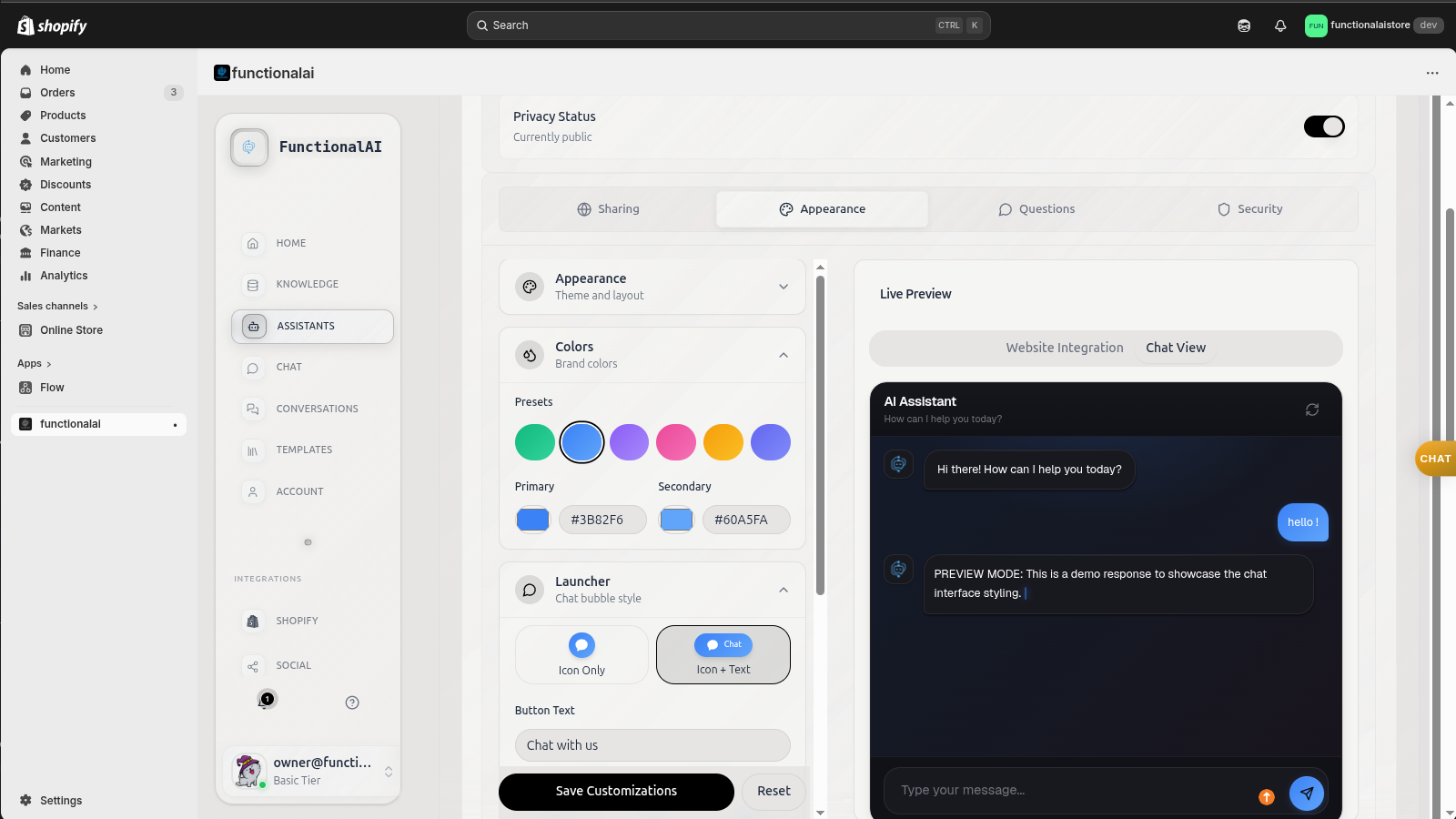
Match your store's look and feel
Choose colors, set your privacy status, and preview exactly how the widget looks on your site. Switch between the embedded view and the chat bubble view in real-time. Your chatbot looks like it was built just for your brand.
- Color theme picker
- Live widget preview
- Embedded & bubble modes
Test it live inside Shopify
Open your chat panel right from the Shopify admin to test conversations in real-time. See how the AI responds to product questions, recommends items with rich cards, and handles browsing queries. Everything works before a single customer sees it.
- In-admin chat testing
- Rich product cards
- Real-time AI responses
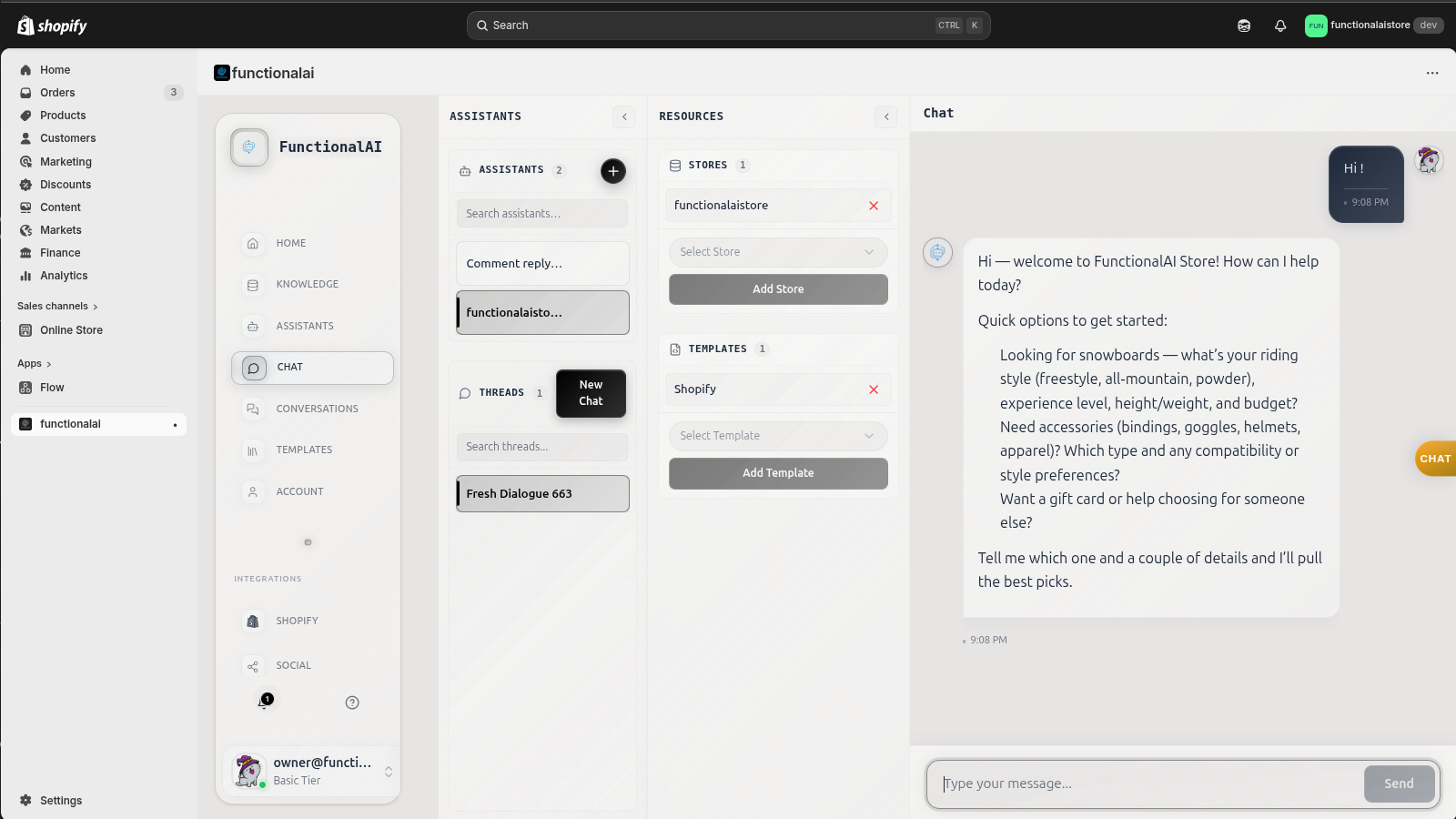
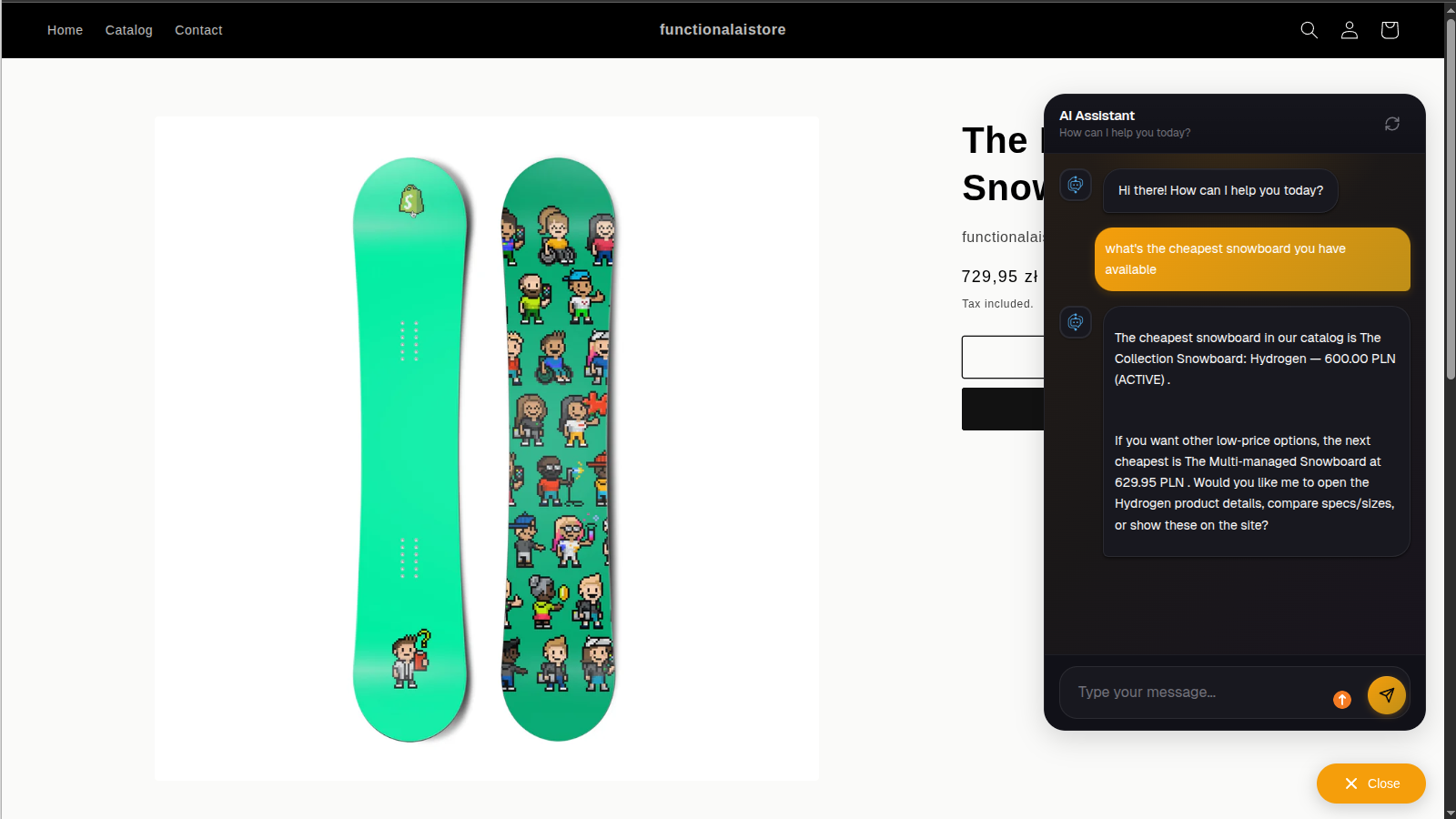
See it working on your website
Once you enable the widget, your AI chatbot is live on your storefront. Customers open the chat, ask about products, and get instant answers with rich product cards pulled straight from your catalog. This is what your shoppers actually see.
- Live on your storefront
- Rich product cards
- Instant AI responses
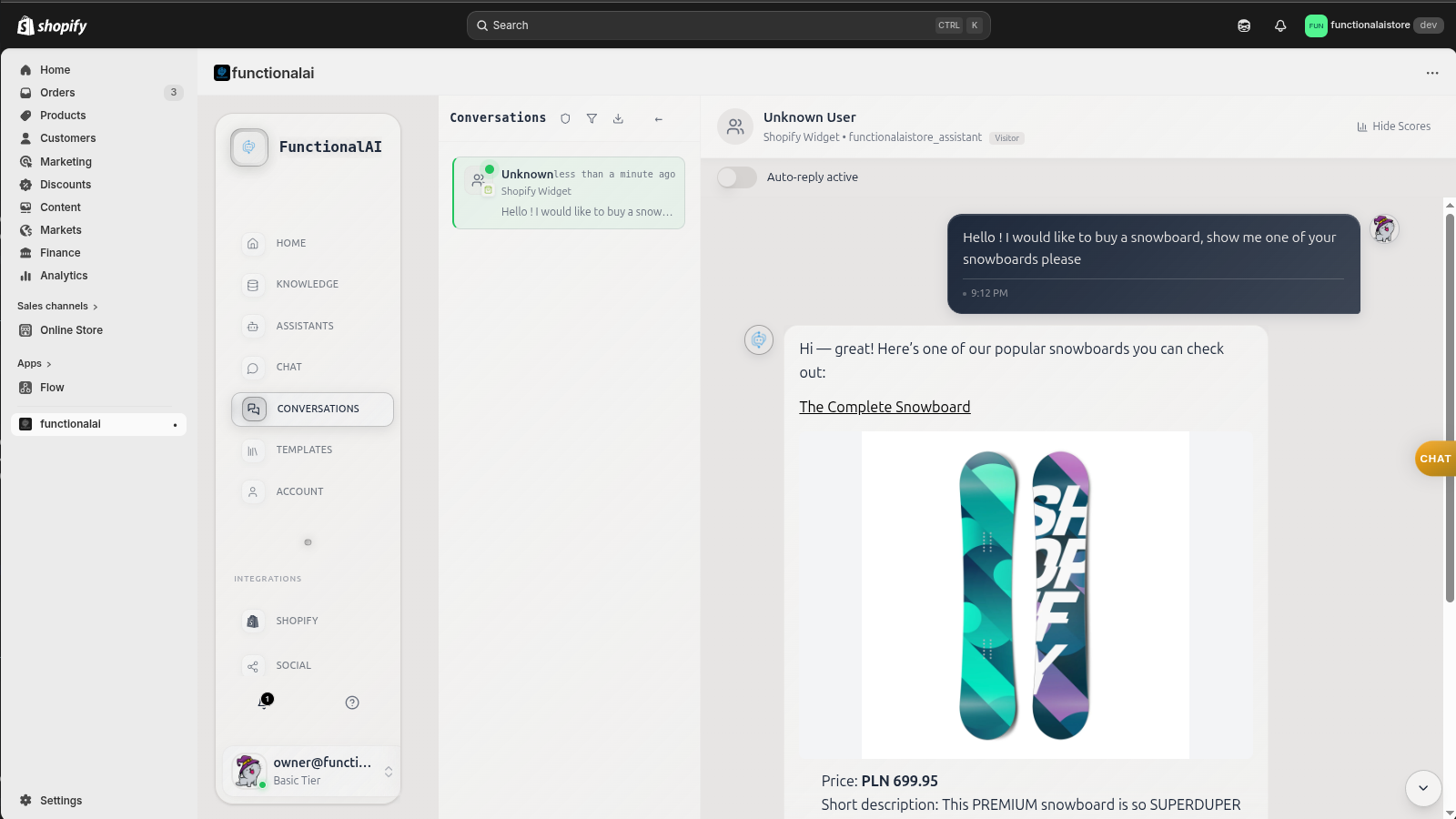
Watch conversations as they happen
Every customer conversation appears in your dashboard in real-time. See what customers ask, how the AI responds, and browse full conversation history with product recommendations and images displayed inline.
- Real-time conversation feed
- Product cards in chat
- Full message history
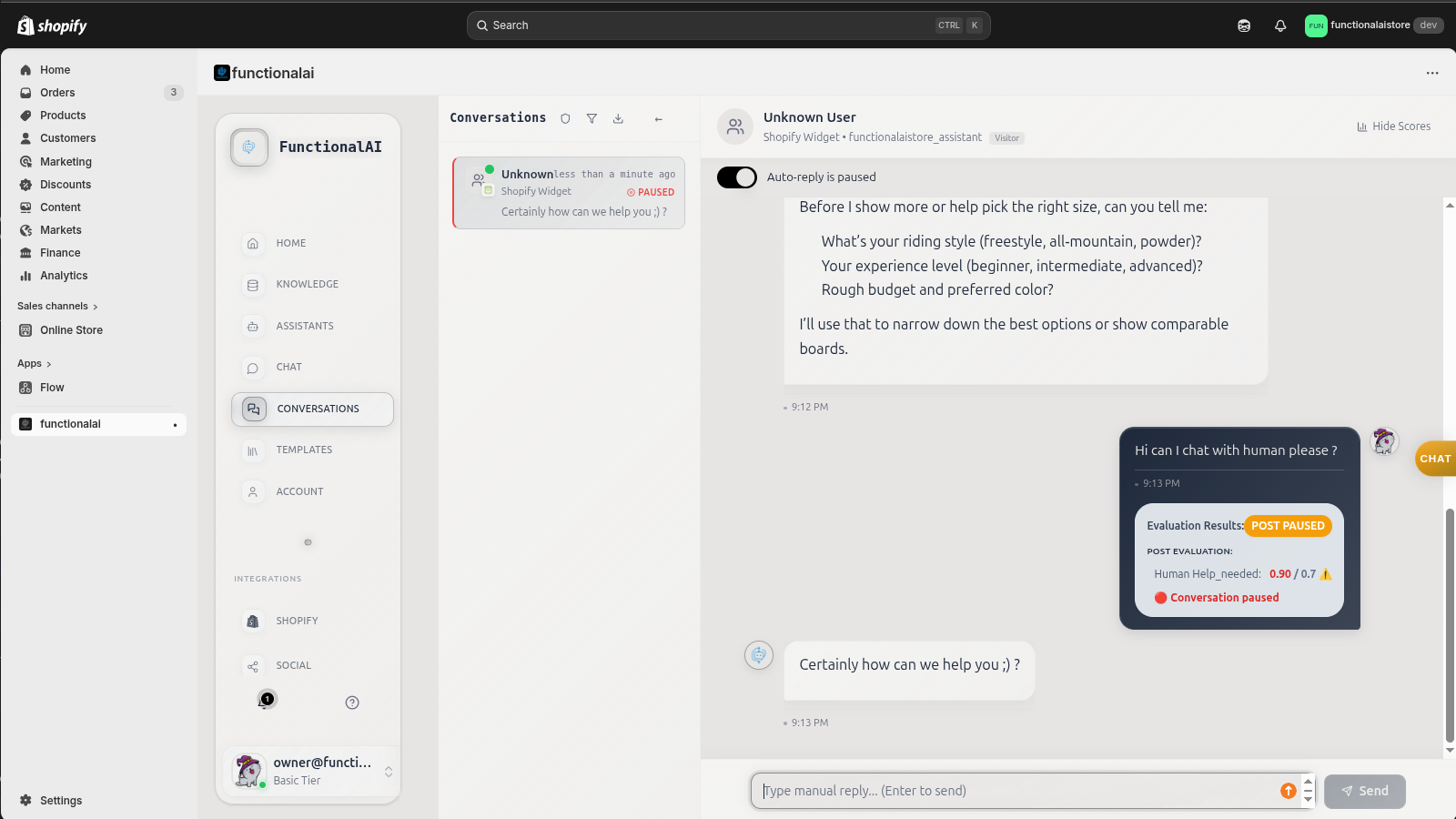
Step in when customers need a human
When the AI detects frustration, complexity, or an explicit request for human help, it pauses automatically and alerts your team. You see the evaluation scores, take over the conversation, and the customer gets a seamless transition. No context lost.
- Auto-pause on escalation
- Handoff evaluation scores
- Seamless agent takeover
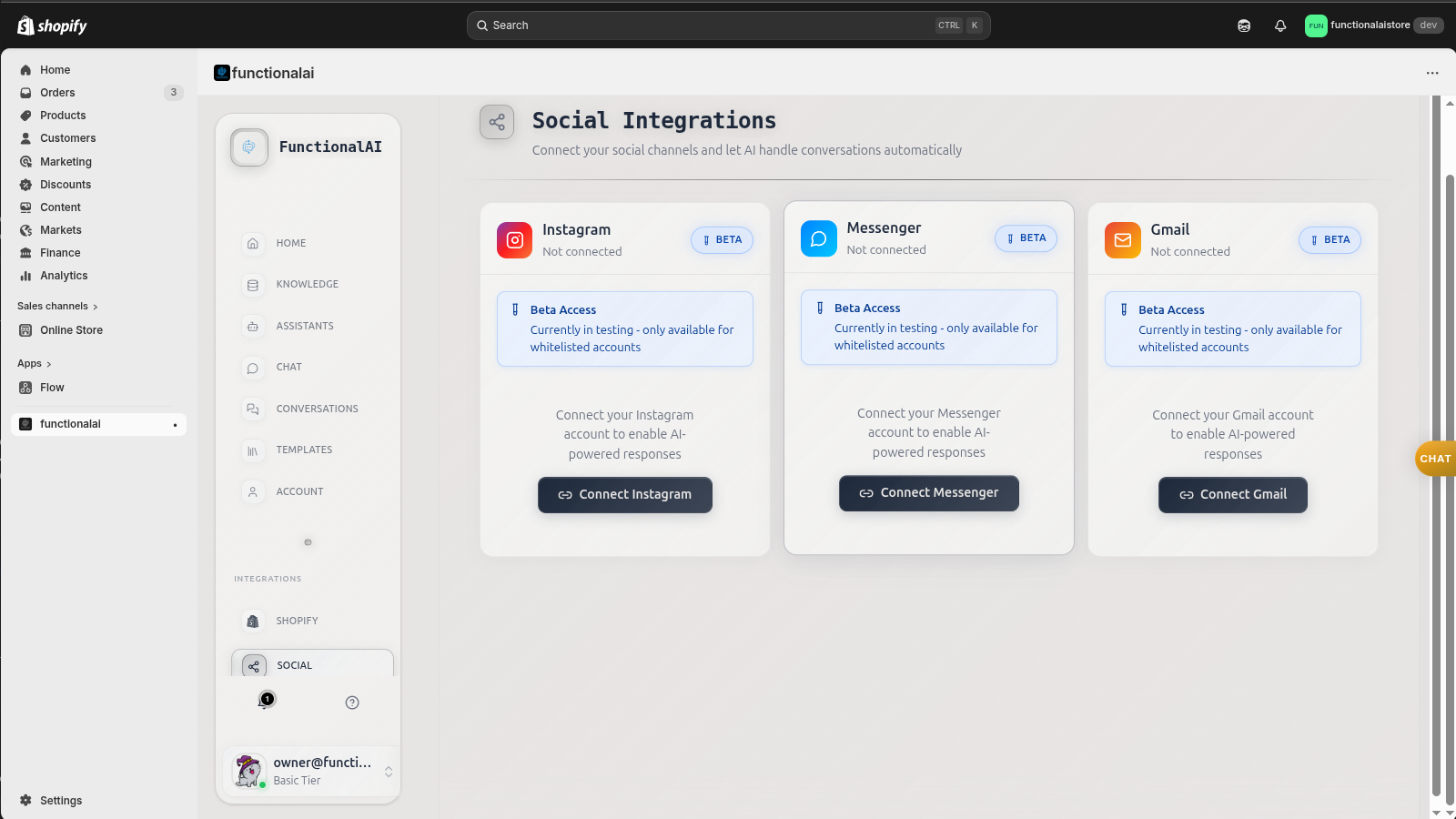
Expand beyond your website
Connect Instagram, Messenger, Gmail, and more. The same AI assistant, the same knowledge base, the same conversation quality across every channel your customers use. Manage it all from one unified dashboard.
- Instagram & Messenger
- Gmail integration
- Unified inbox
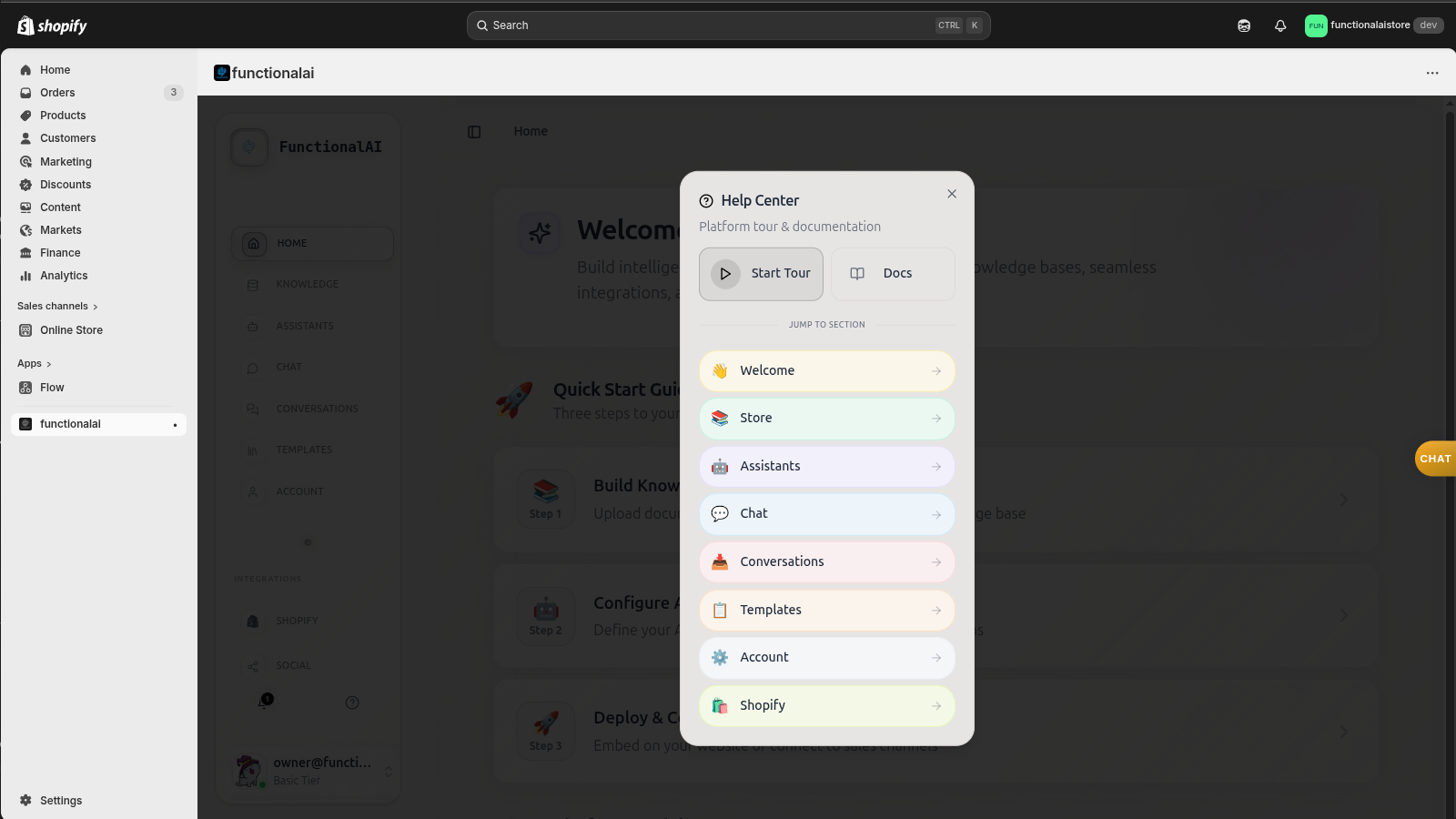
Guided tour gets you started fast
Never feel lost. The built-in help center and interactive guided tour walk you through every section of the platform. From your first assistant to your first live conversation, each step is explained with clear instructions.
- Interactive guided tour
- Section-by-section help
- Quick-start documentation
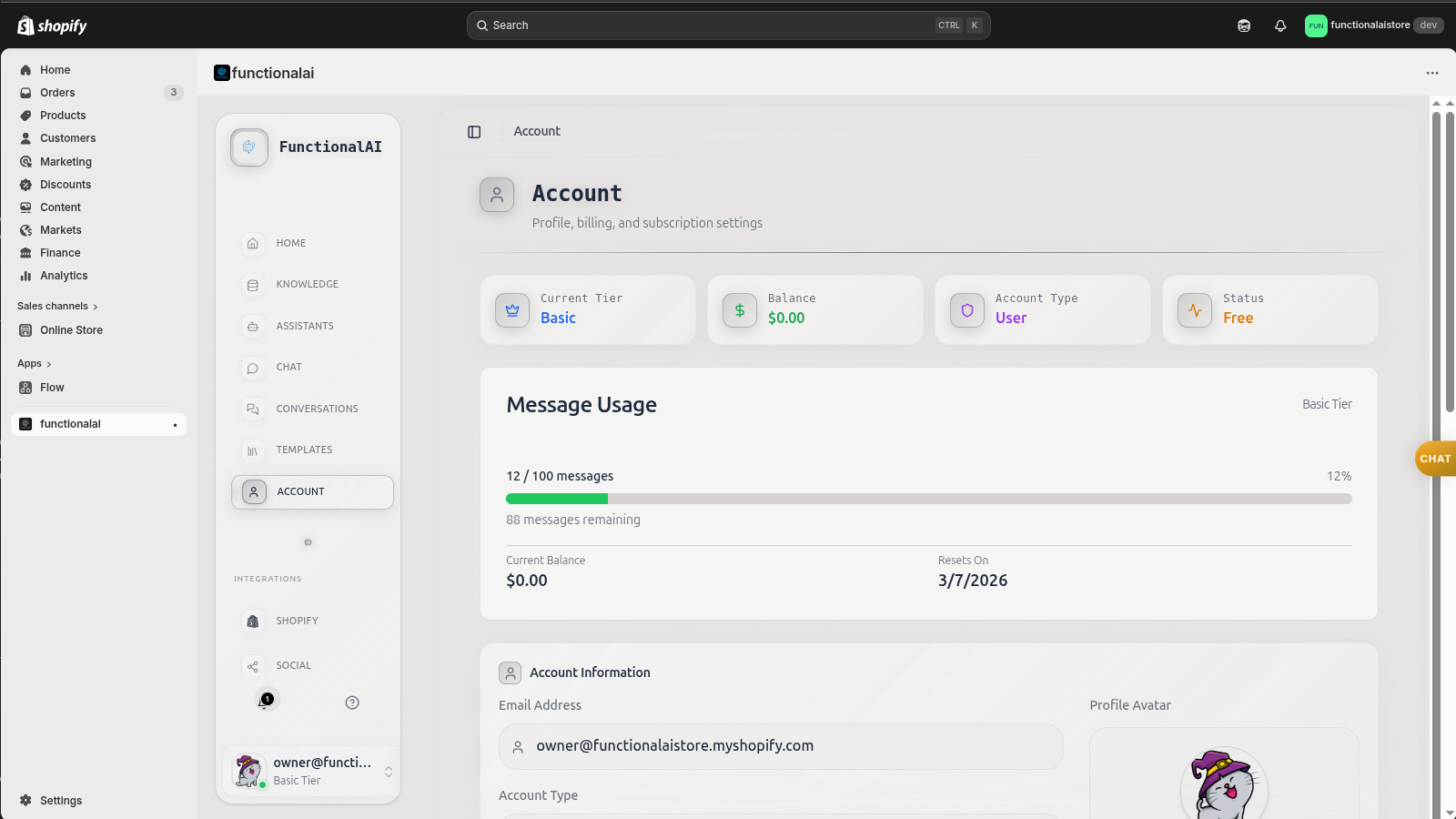
Track usage and manage your plan
See your message usage at a glance, manage your subscription tier, and keep track of billing. The account dashboard gives you full transparency into how your AI is performing and what you're spending.
- Message usage tracking
- Tier management
- Transparent billing
Never feel lost with the guided tour
An interactive walkthrough highlights each section of the platform so you always know what to do next.
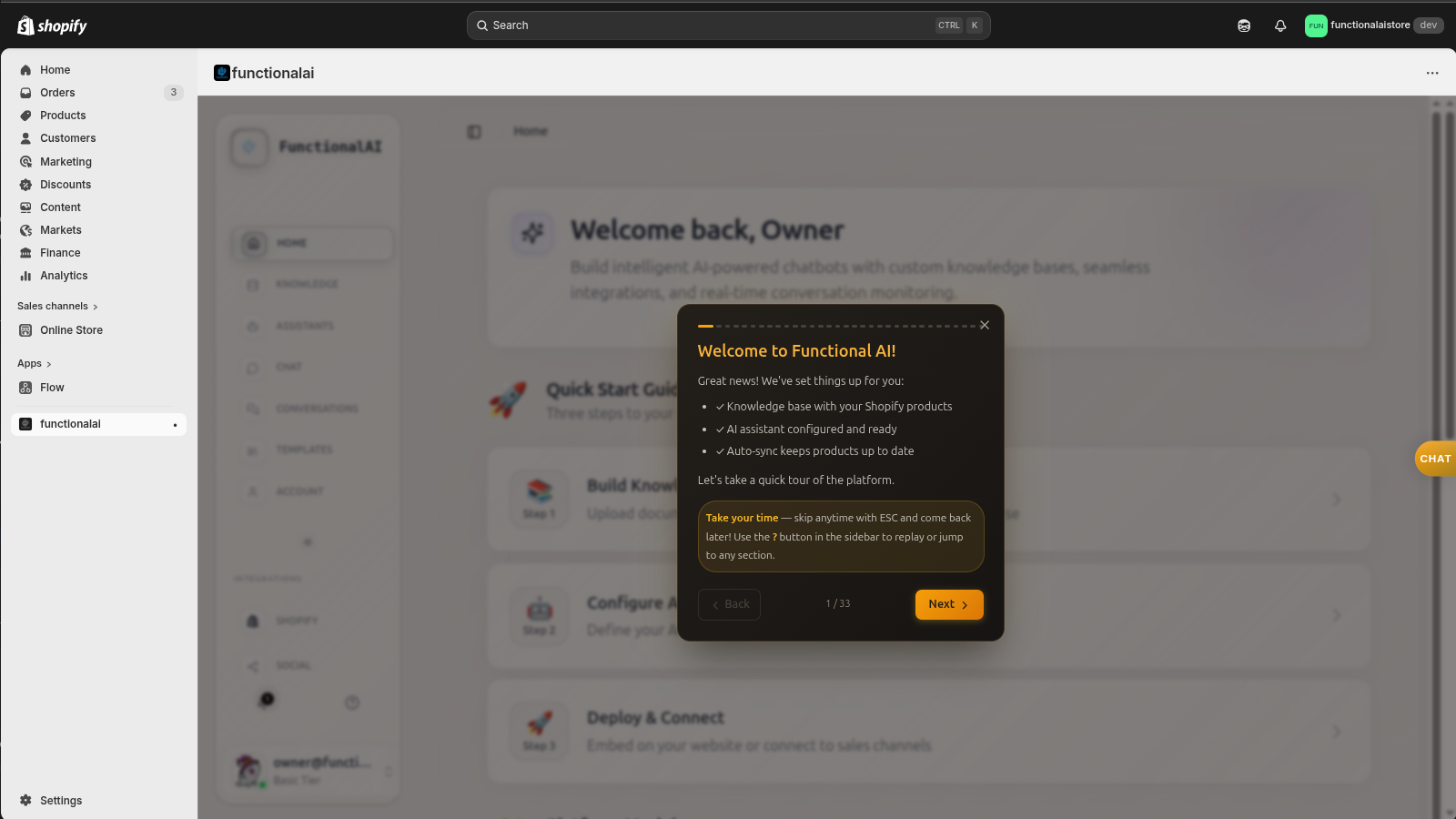
Welcome popup with quick-start checklist
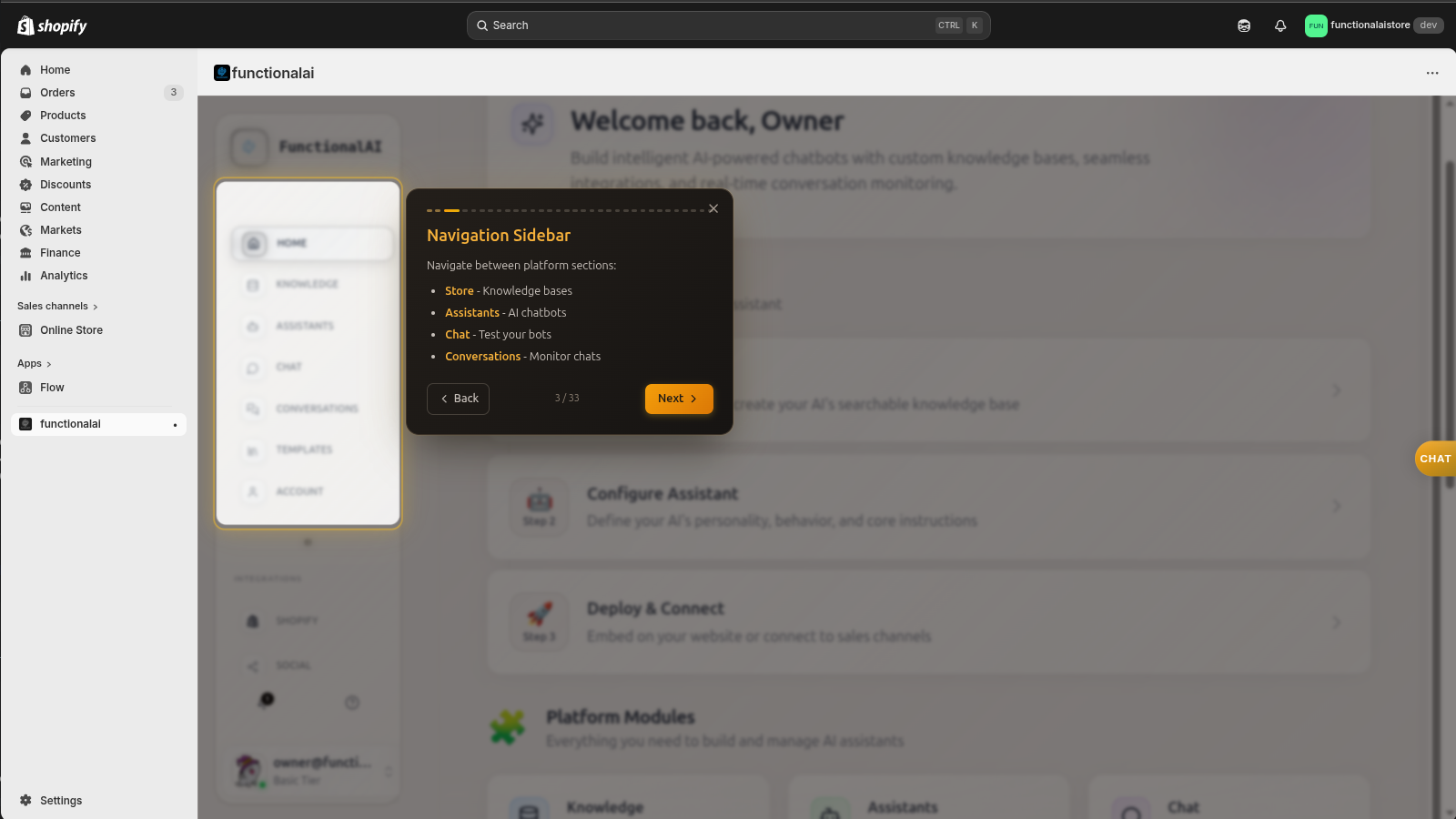
Step-by-step navigation walkthrough
Ready to see it on your store?
Every screen you just saw is real and available right now. Install from the Shopify App Store, run the setup wizard, and your AI assistant is live in minutes.