- Where’s my order?
- Do you ship to Canada?
- Can I return this?
Your AI handles support 24/7 — you step in only when it matters.
Trained on your products and policies, the AI answers instantly. Customers tap to reach a human, or your auto-pause rules call you in.
Free to install. Your storefront doesn’t change until you switch the chat on in your theme.
Install on Shopify100 free messages to start, no card needed. Runs on OpenAI, hosted in the EU.
Five steps. The last one is yours.
From what your store knows to a widget that answers on its own, and knows when to stop.
Add what you know
Upload documents, FAQs and product information, paste in text, or import pages from your site. On Shopify, your products, pages, blog posts and collections sync on their own. The AI answers from this and nothing else.
How the knowledge base worksKnowledge baseYour files● ReadingMD61 KBMD42 KBPDF118 KBMD27 KBMD34 KBDrop files, or click to chooseSearchable by meaning5 filesDefine the assistant and make it yours
Give it a name, instructions and a tone. Match the widget to your brand with your colours, layout and suggested questions, and see the result live before it goes anywhere.
What you can customiseWidget settingsPut it on your siteHow it looksTalking to a personMore settingsColorsPreset or hex#1746D3#F5A30ALayout · bubble or side drawerHeader · title and welcomeSuggested questionsLive previewas you editAI AssistantOnlineHi there! How can I help you today?What are your business hours?We're open 9am–6pm PT, Monday through Friday.Type your message...Add it to your site
One line of code on any website. On Shopify, install the app and turn on the theme embed. No developer needed either way.
See the Shopify installAdd to your siteAny website: paste one line into your site’s layout<script async src="https://api.functional-ai.com/shared-chat/widget-script/YOUR_ASSISTANT_ID/"></script>
Shopify: no codeNo site yet: share a linkInstall from the Shopify App StoreTurn on the theme app embed. The widget appears on your storefront.Watch every conversation as it happens
Each thread from your widget lands in one inbox. Read what the AI is saying in real time, and take over any conversation with one click.
Inside the inboxConversationsStatusAI replyingWaiting on shopperYou took overPaused by a ruleEvery chat, newest firstLiveAI12mWaiting19mYou26mPaused33mAI40mWaiting47mYou54mPaused1mAI8mThe AI stops. You step in.
You write the conditions in plain language: a refund request, an angry customer, someone asking for a person. They are checked before the AI replies, so on a match it says nothing, the customer sees a handoff card, and the thread is waiting for you with the reason attached.
How the handoff worksAuto-pausePause the AI whenCustomer asks for a refund or a returnCustomer asks to talk to a personCustomer sounds upsetWritten by you, in your words. Checked on every message.Before the AI repliesMy order arrived damaged. I want a refund.Paused: needs a humanMatched “asks for a refund or a return”. The AI did not reply.The customer sees a handoff card and can leave an email for your reply.In your inboxAuto-reply is paused on this conversation. Take over to reply yourself.Reply yourselfThe whole thread stays in one place. Hand it back to the AI when you are done.OlaSorry about that. I'll ship a replacement today, no charge.
This is the actual product
18 screenshots of the dashboard and the widget, taken on a demo shop we set up. Swipe through them, or open any one full size.
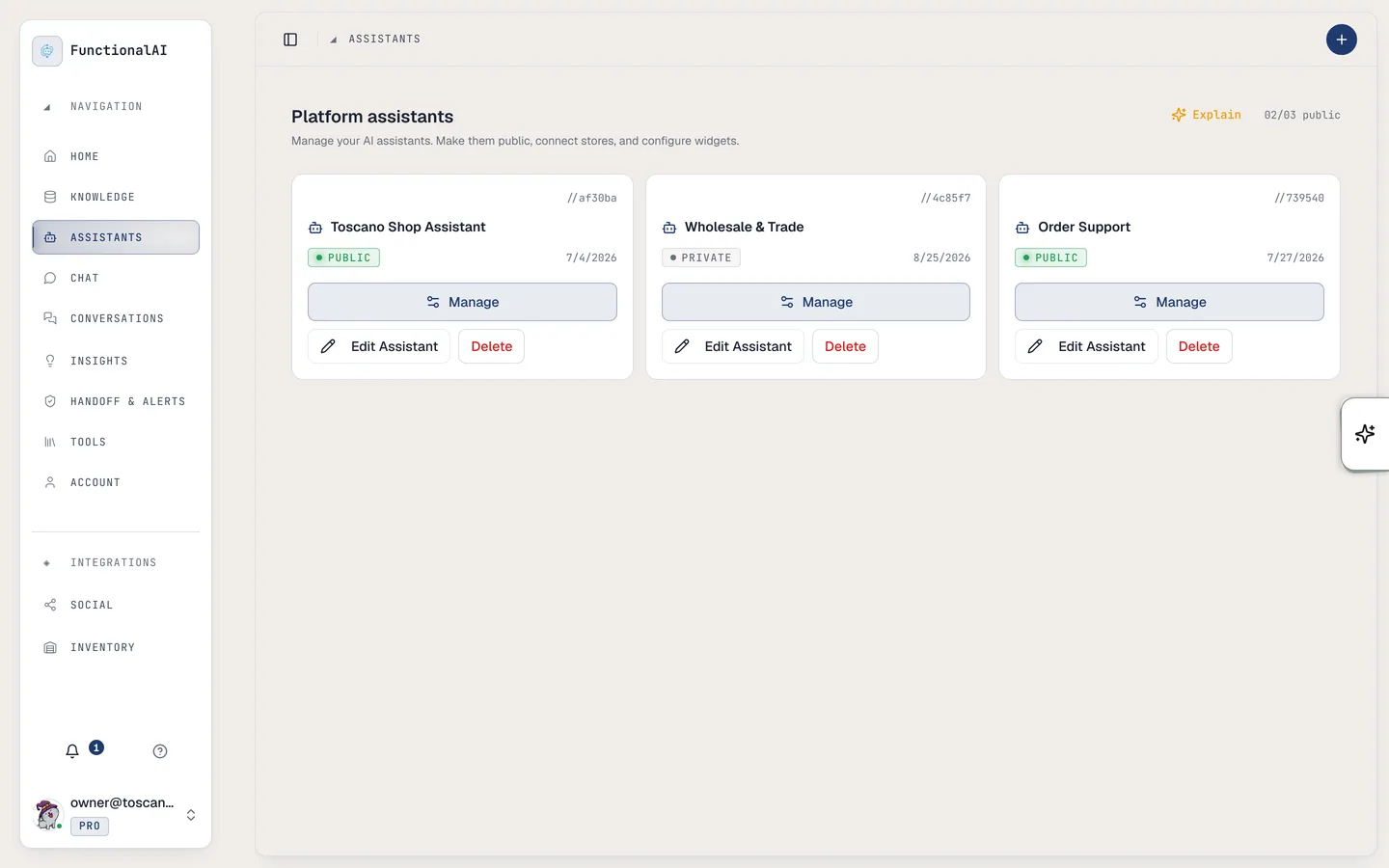
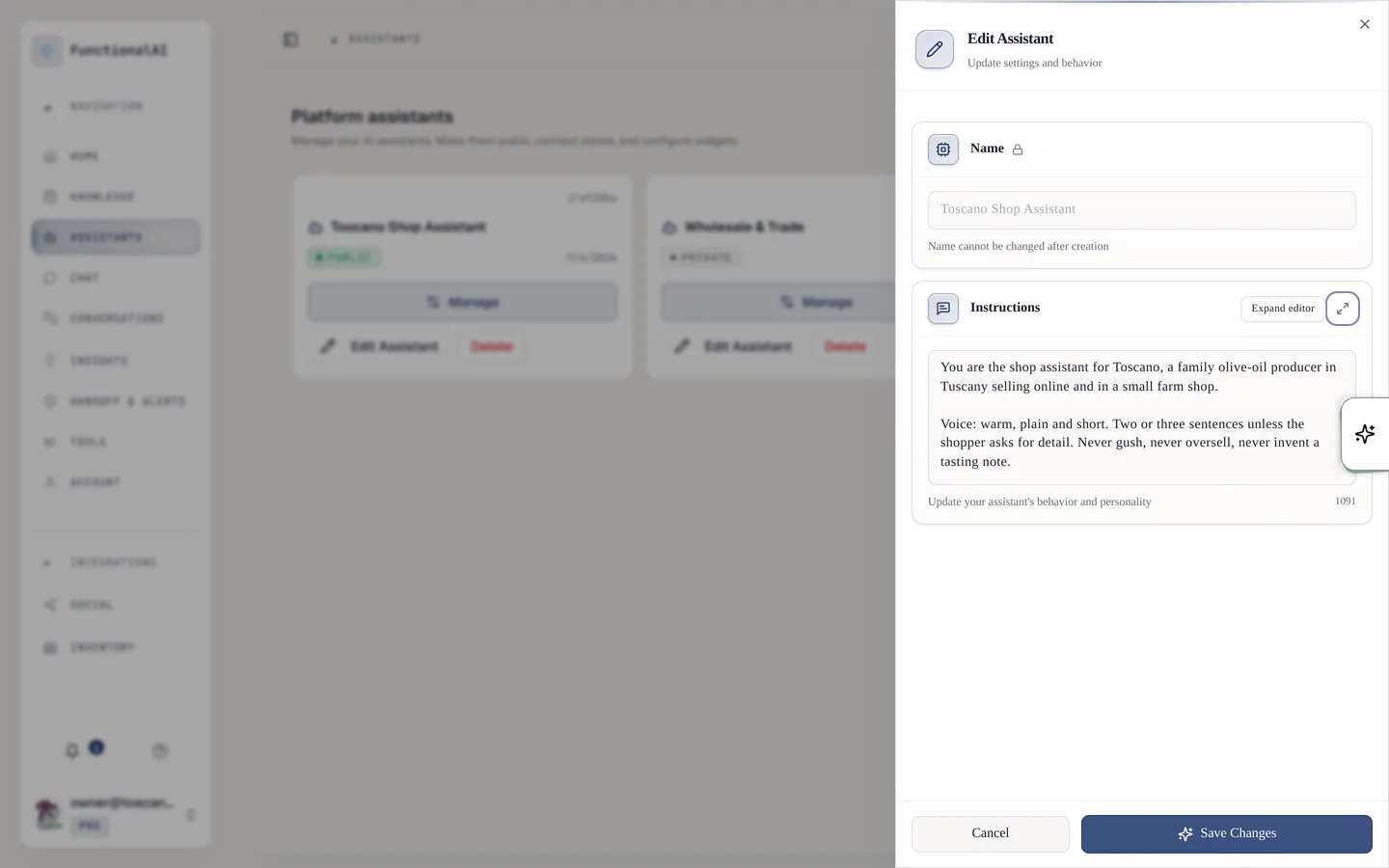
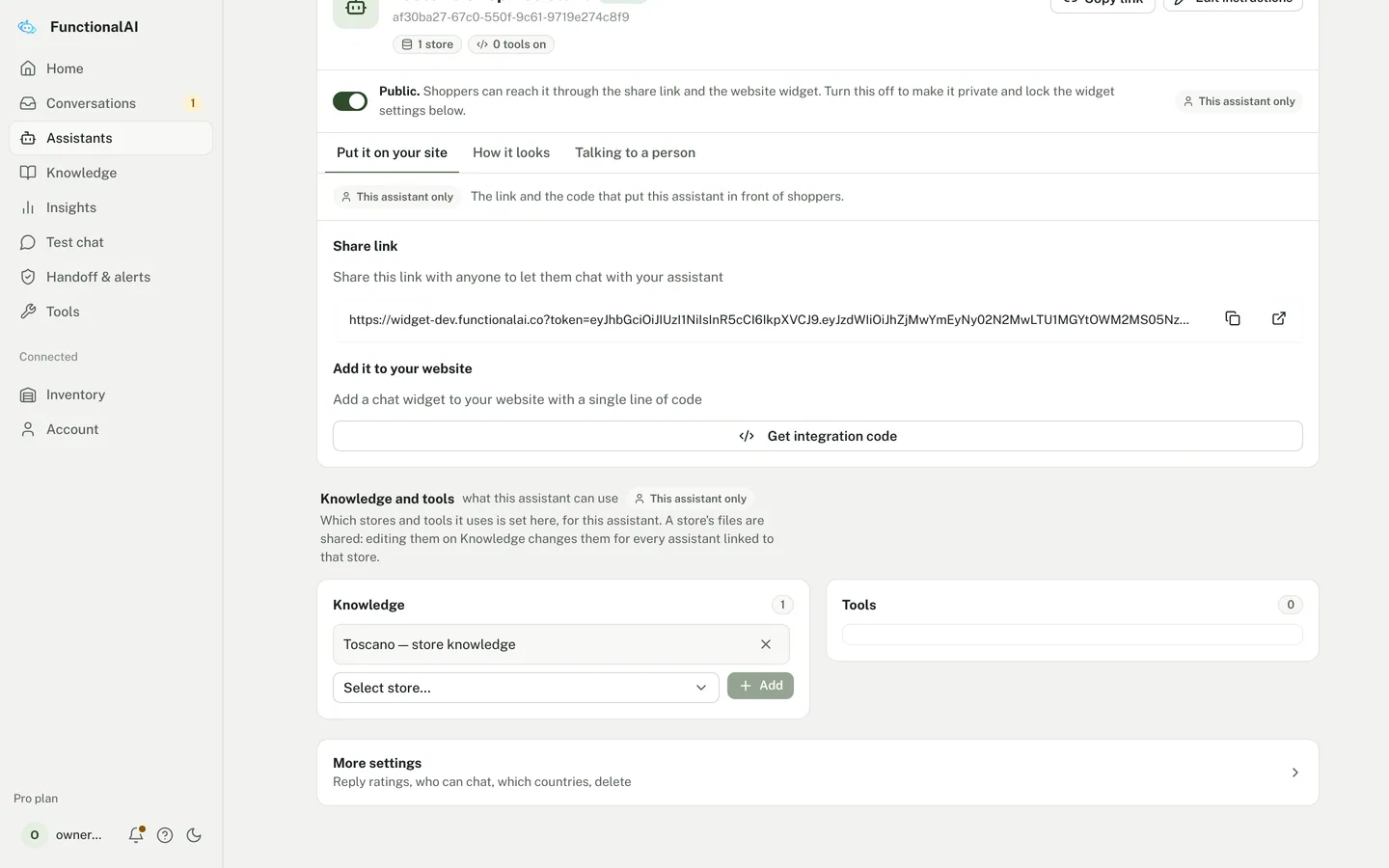
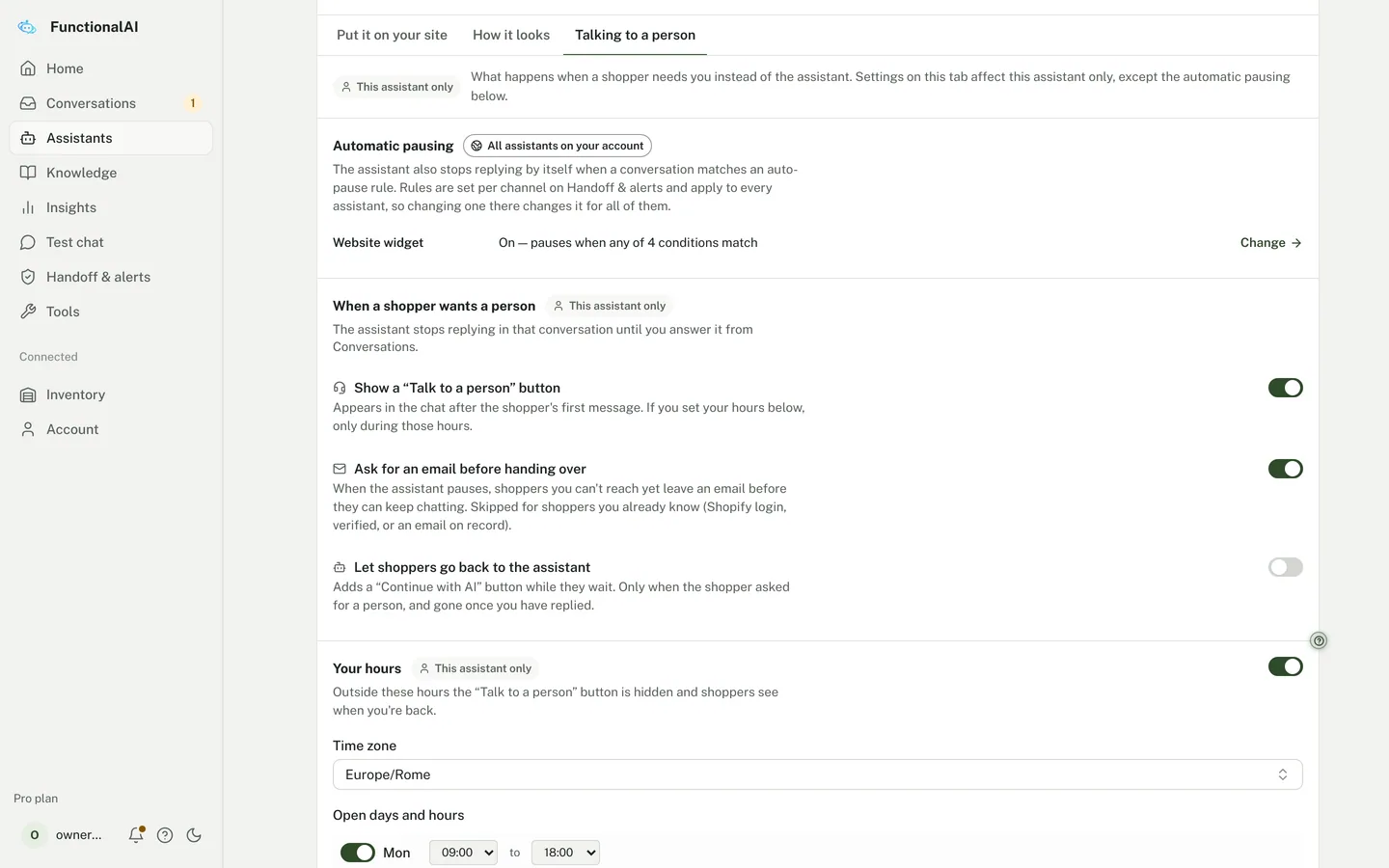
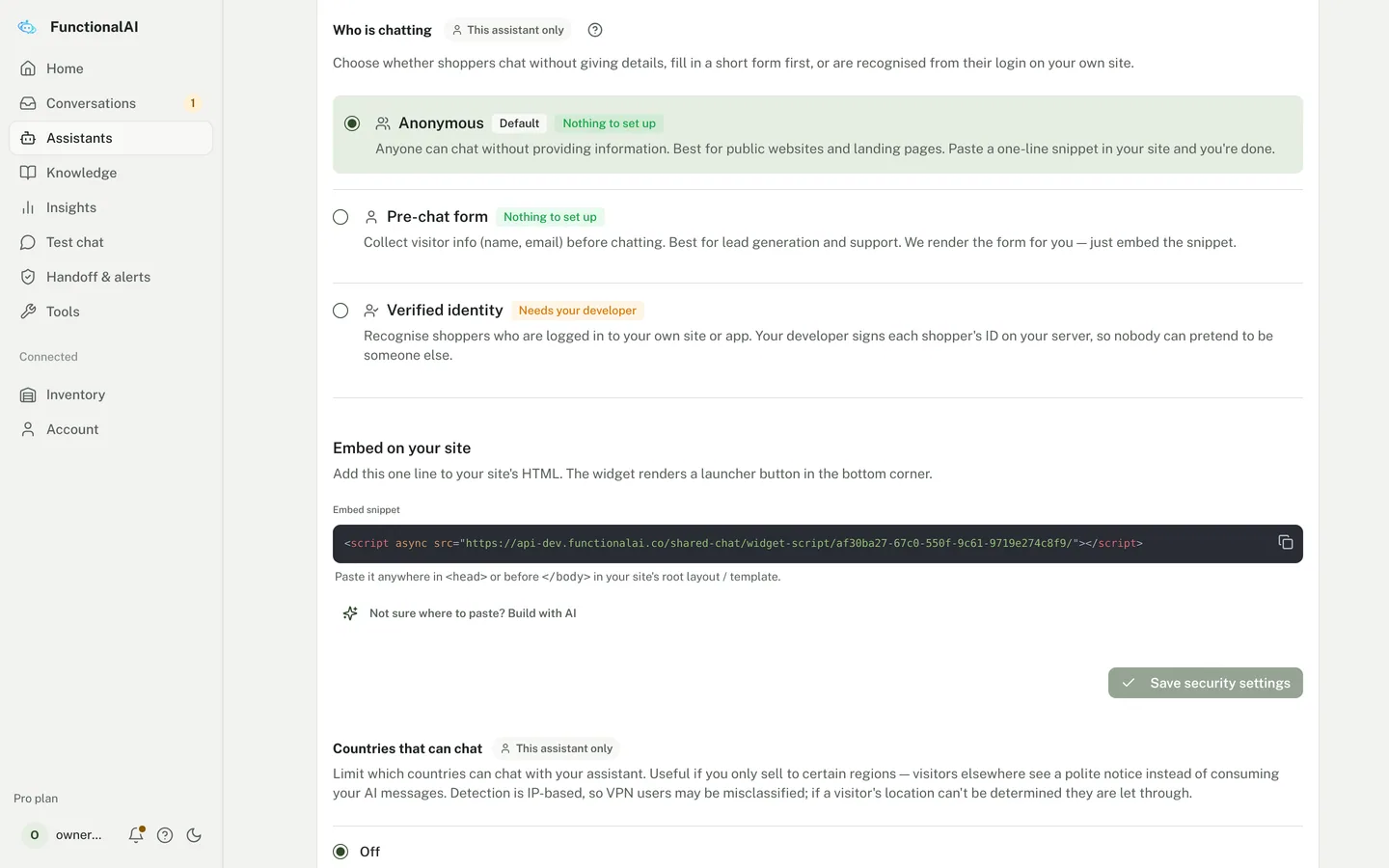
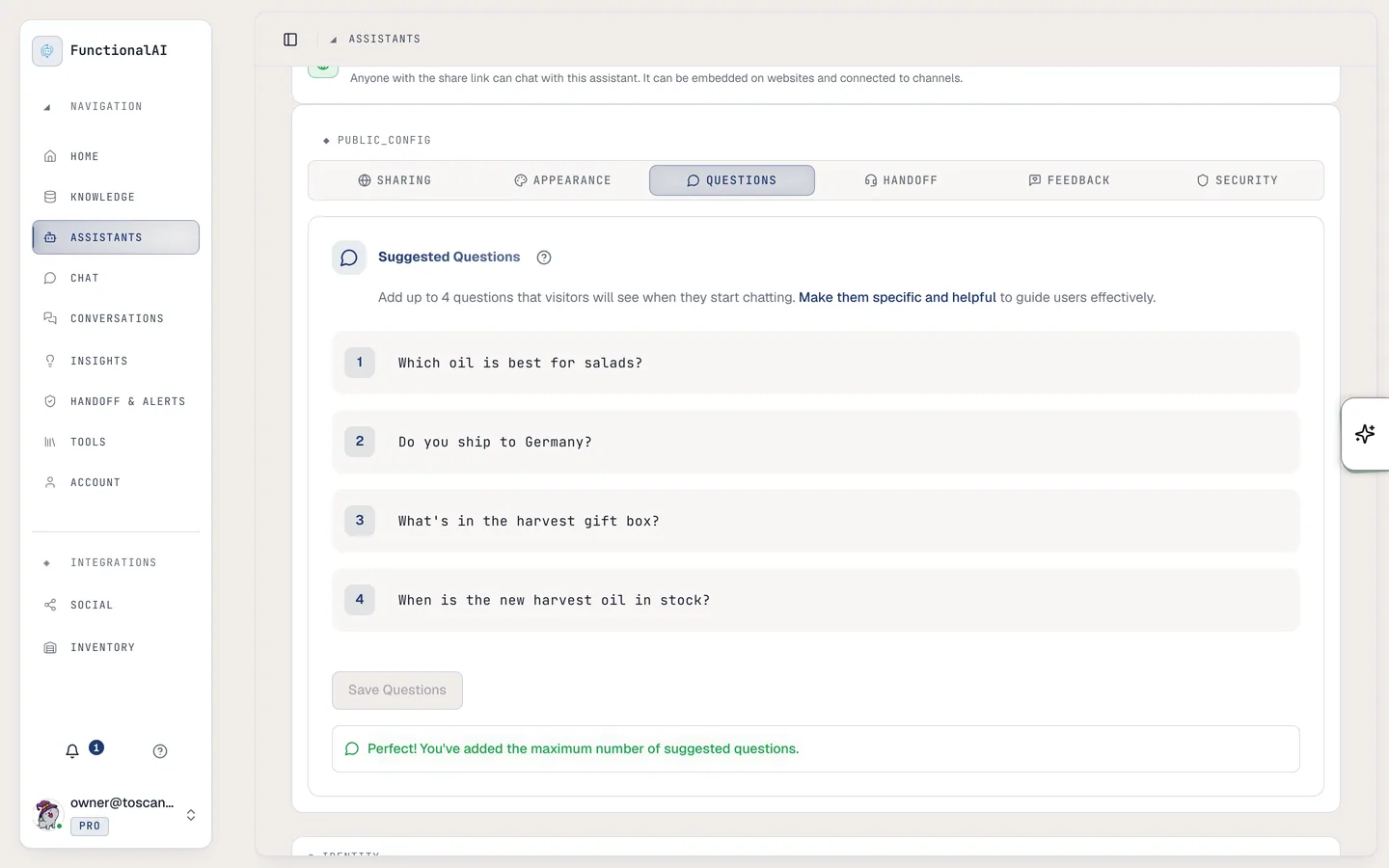
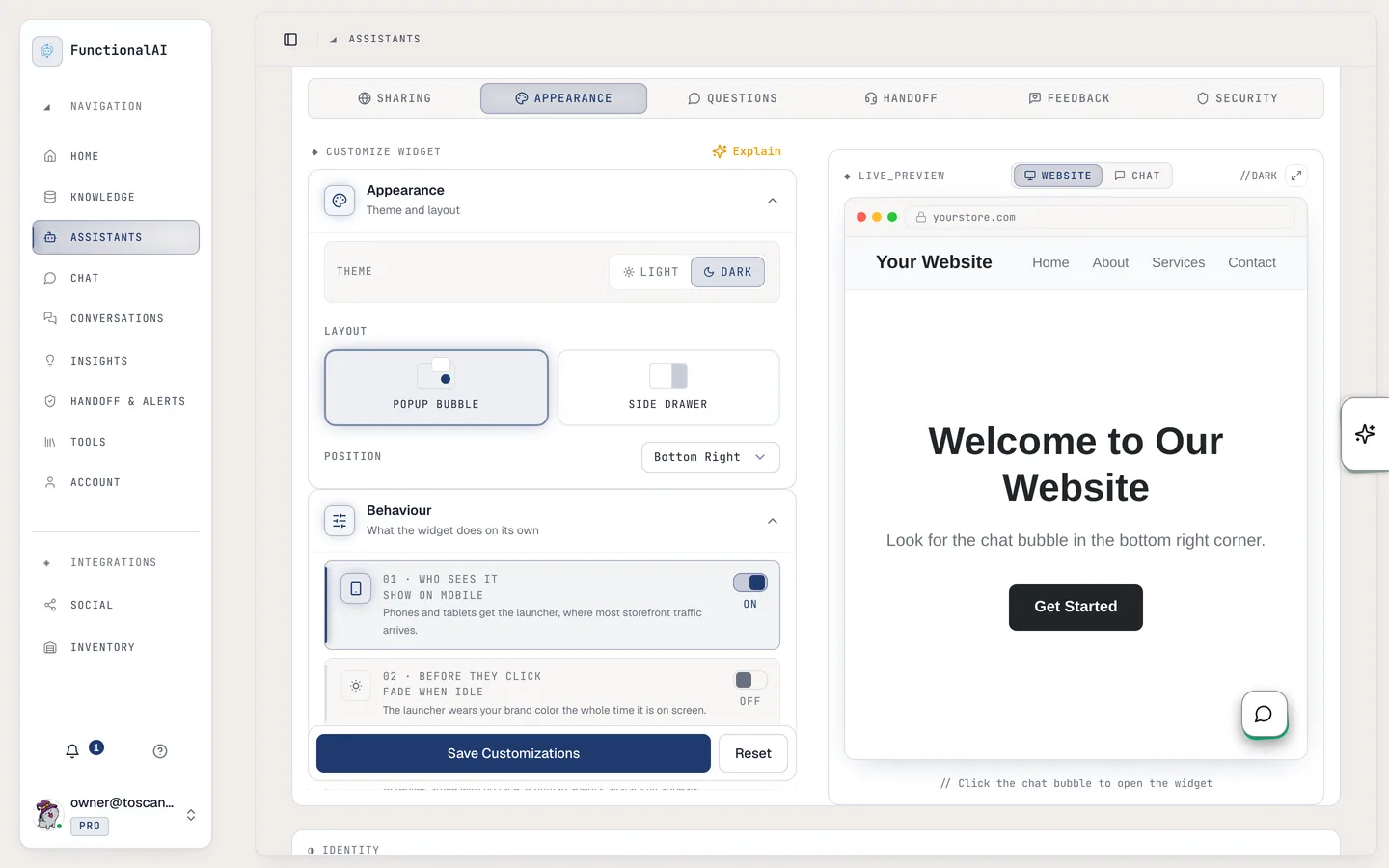
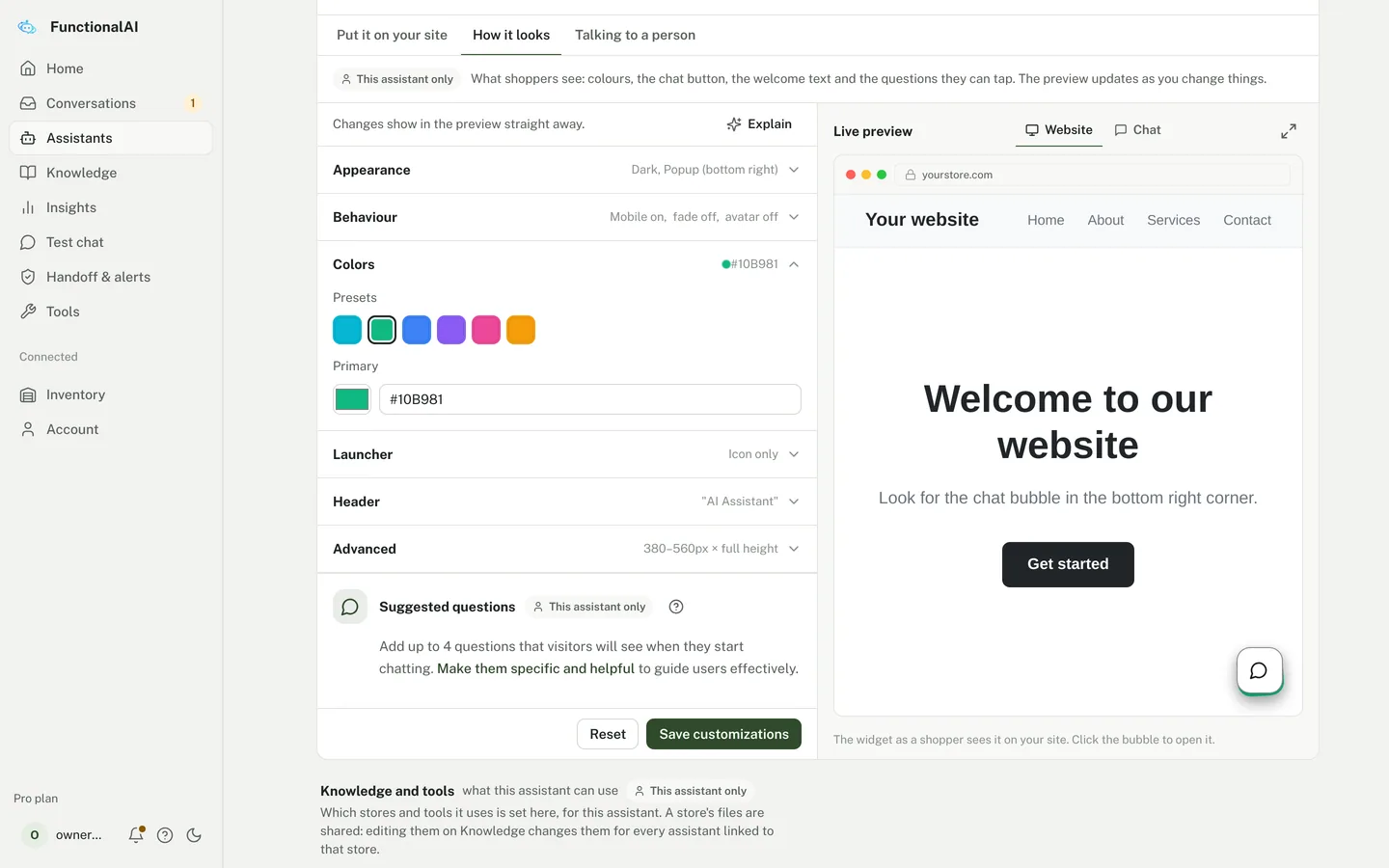
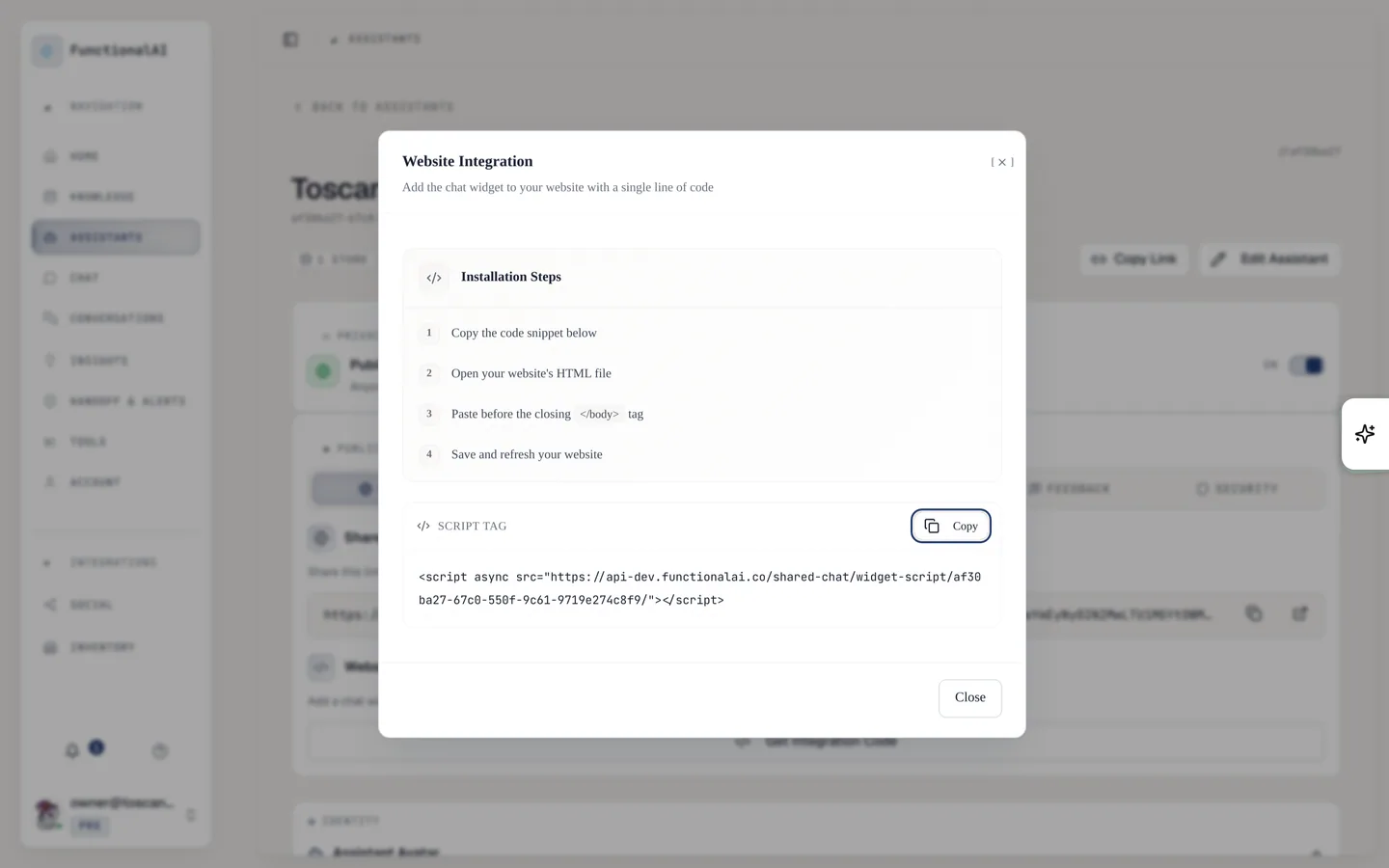
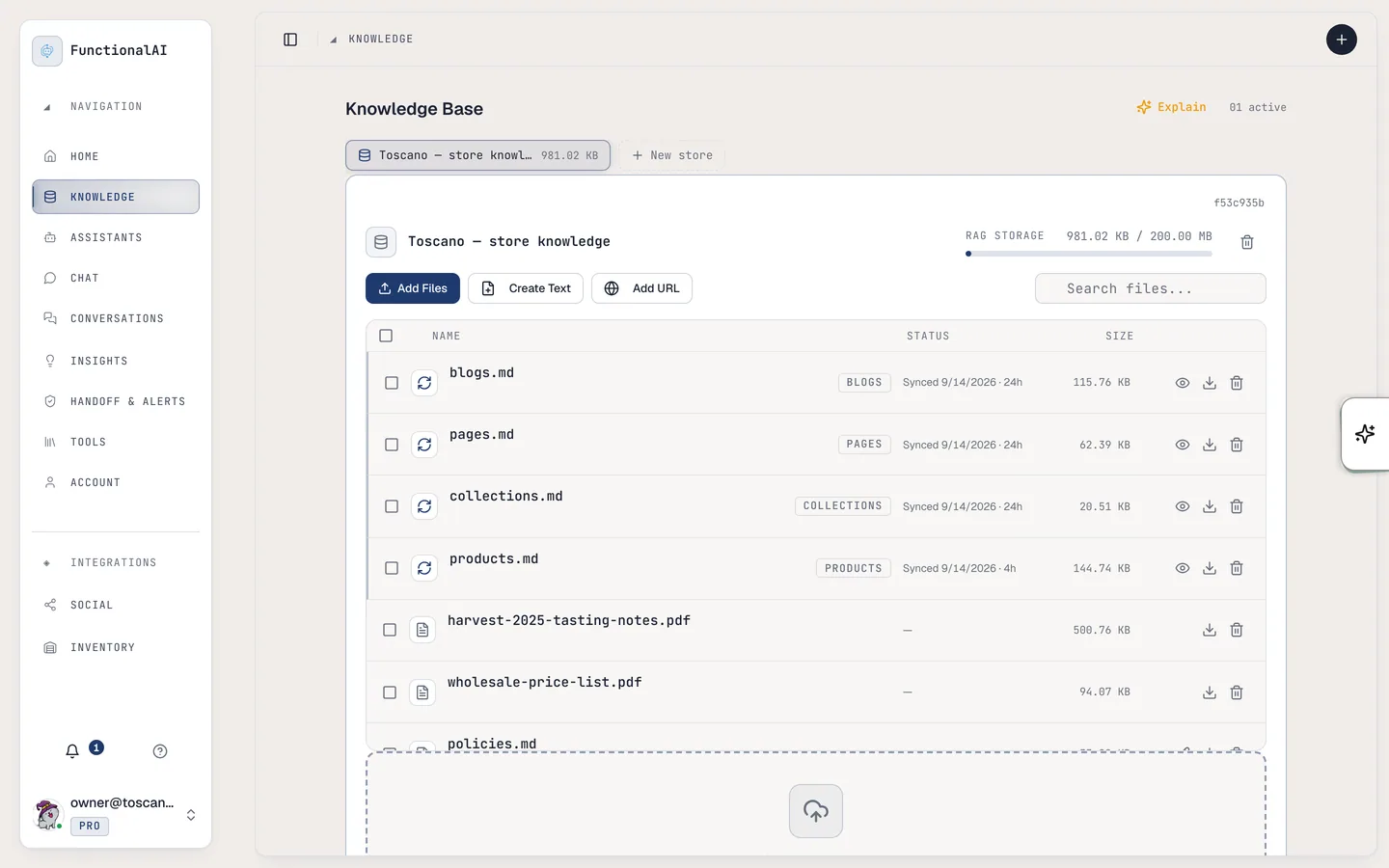
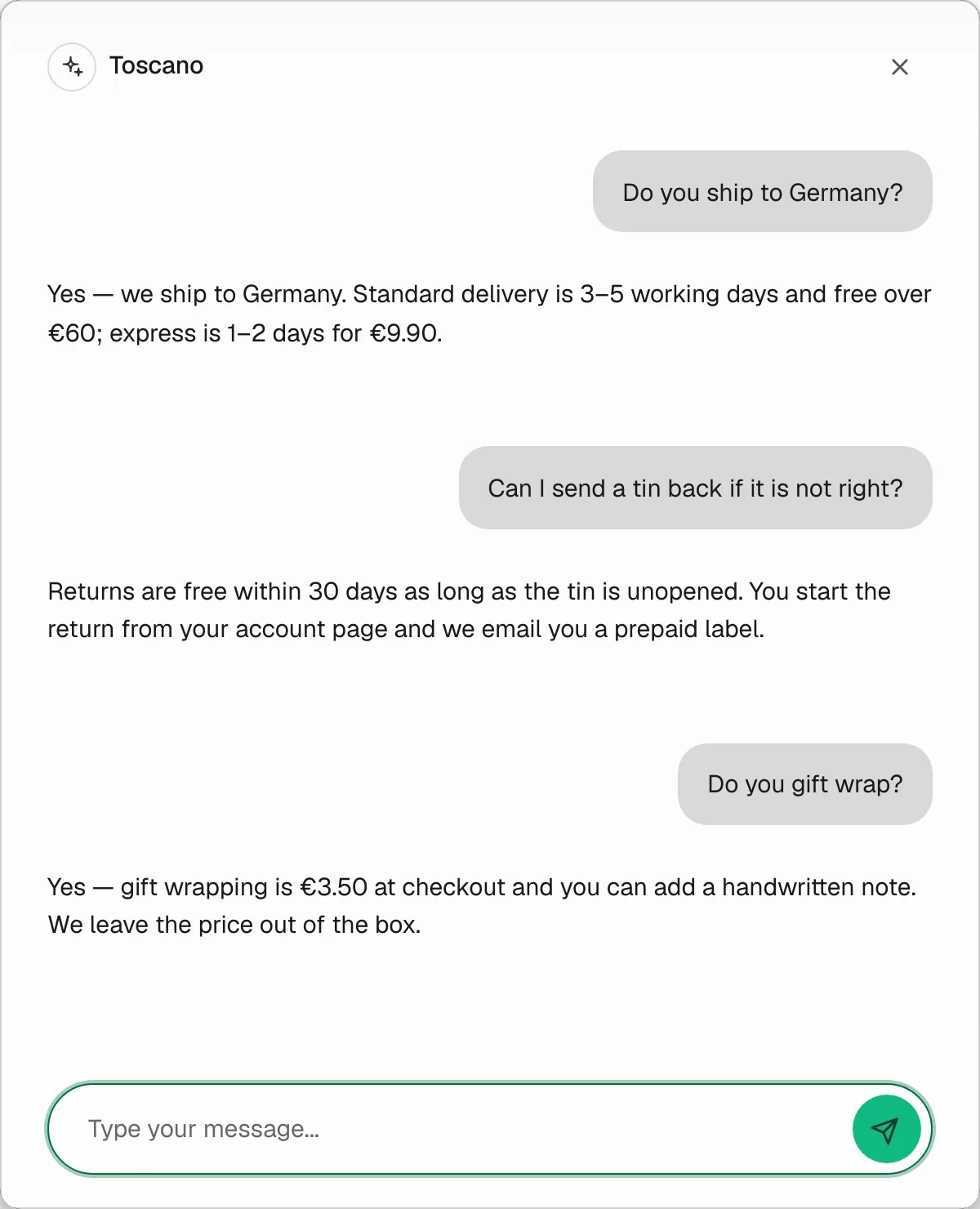
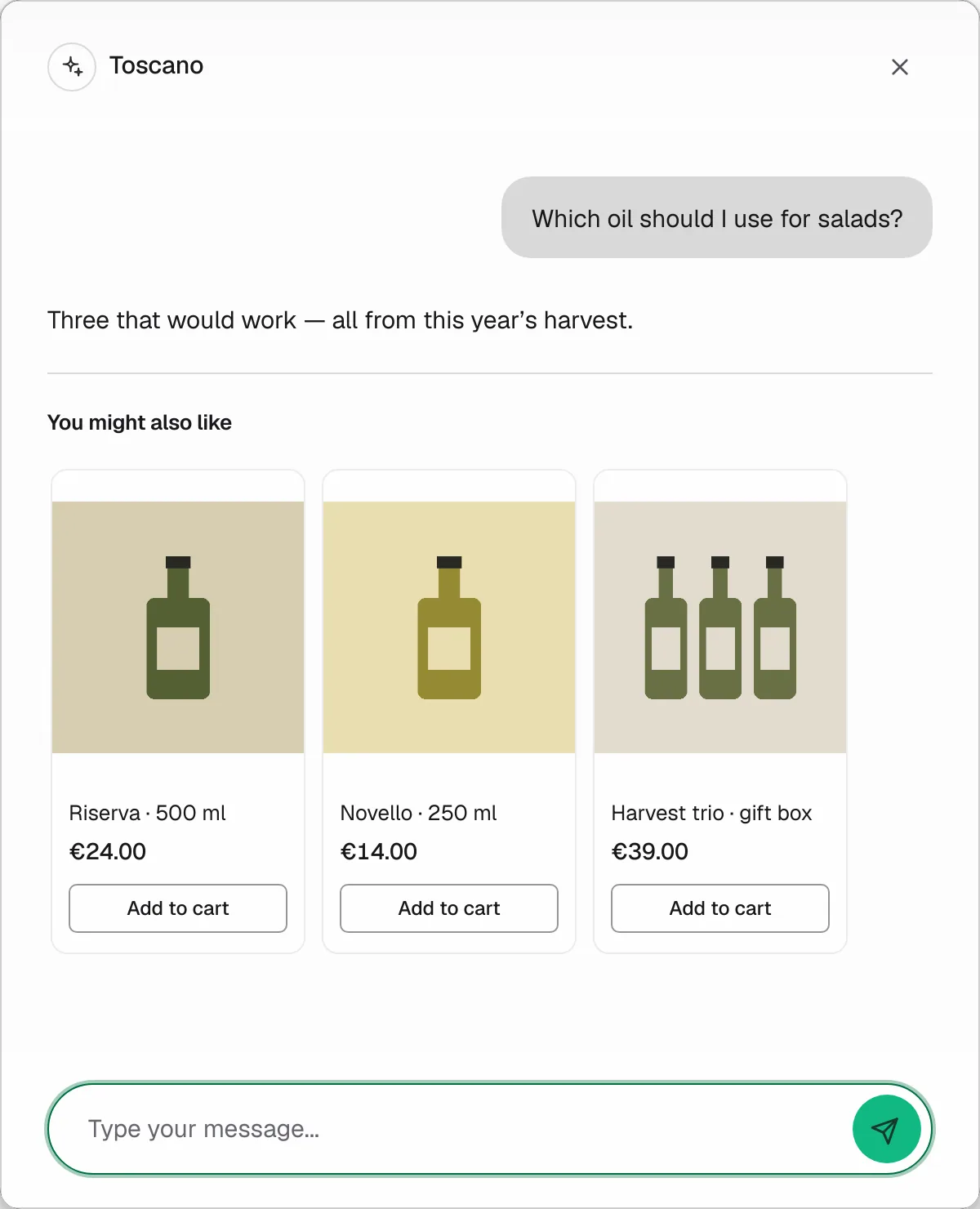
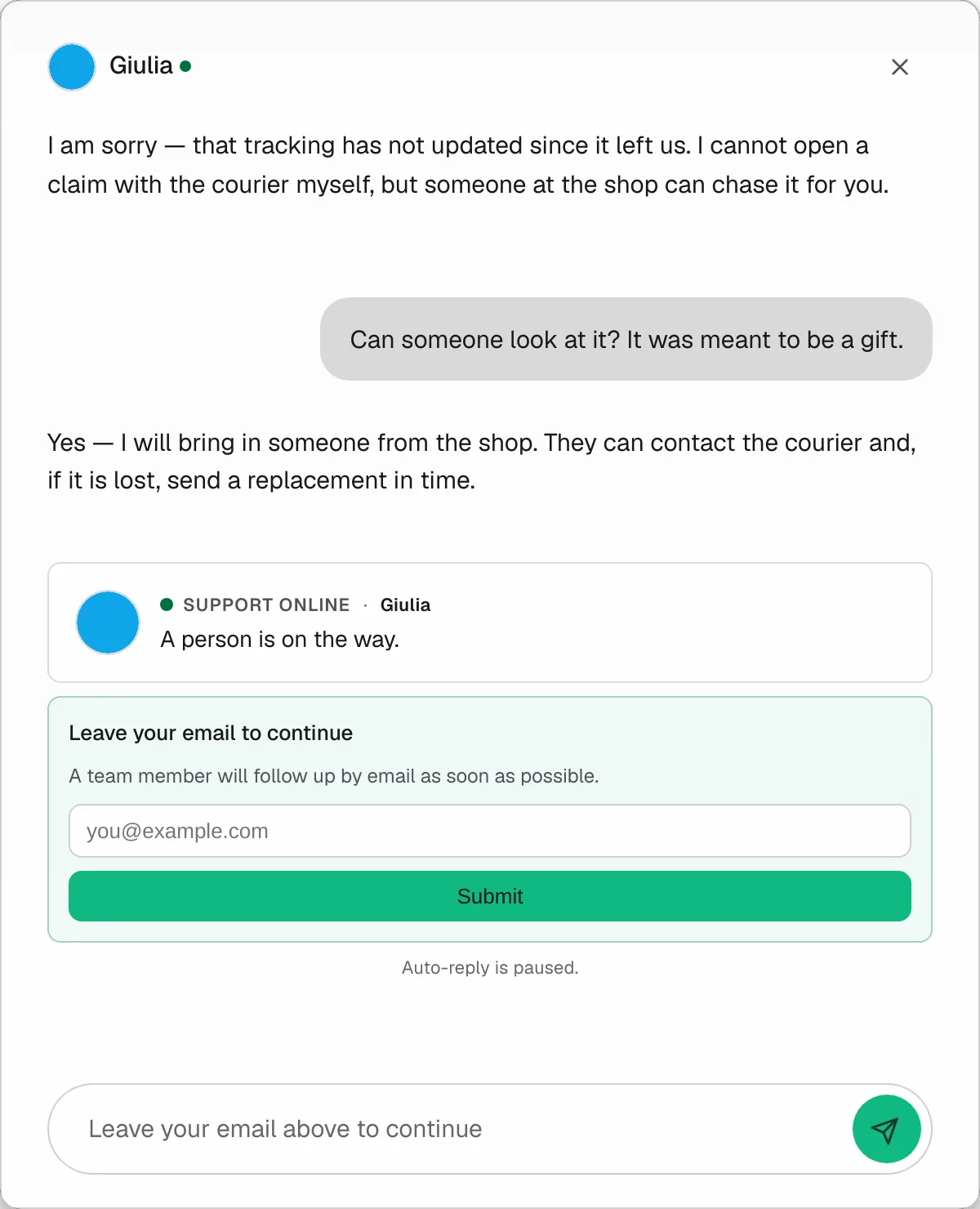
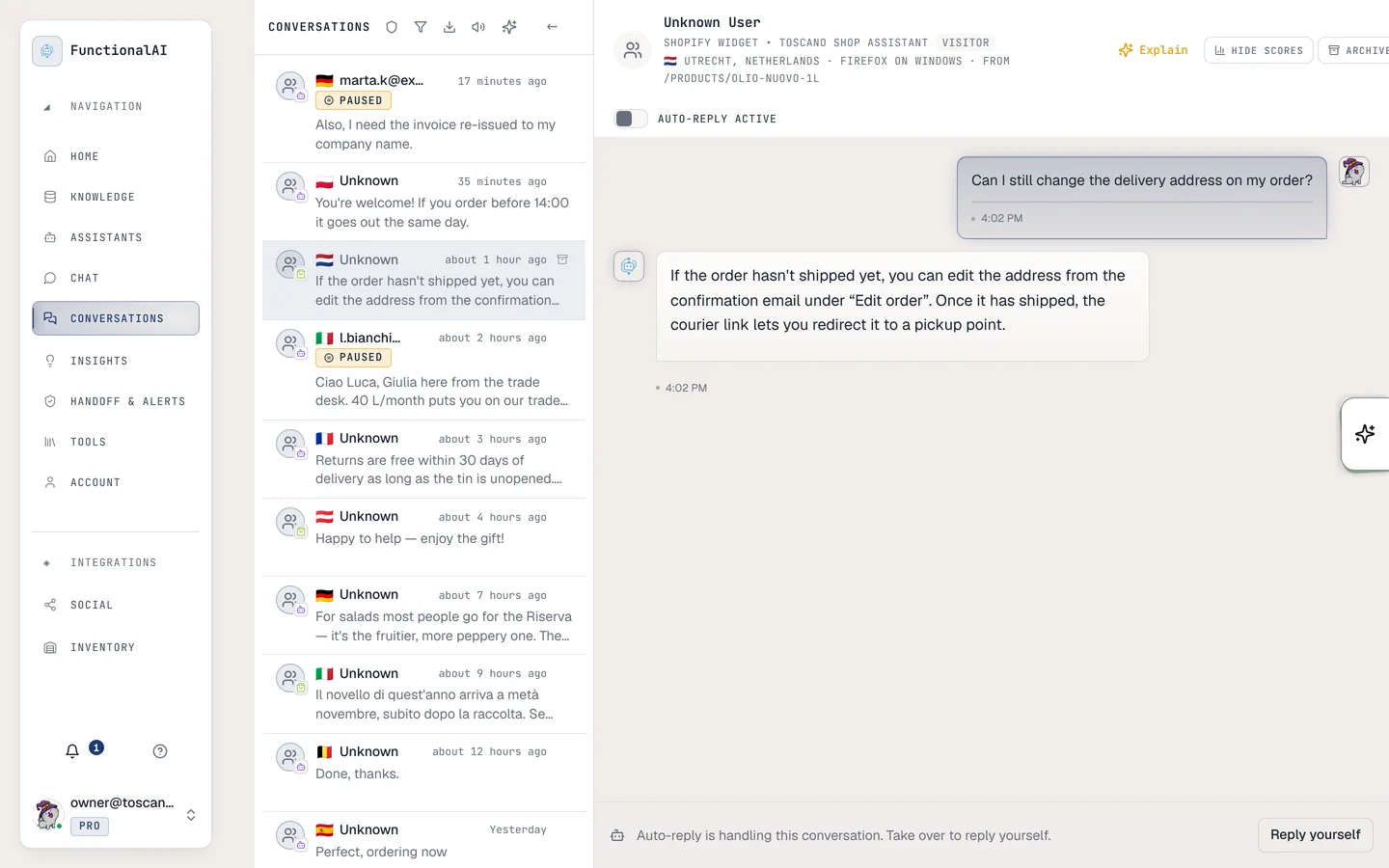
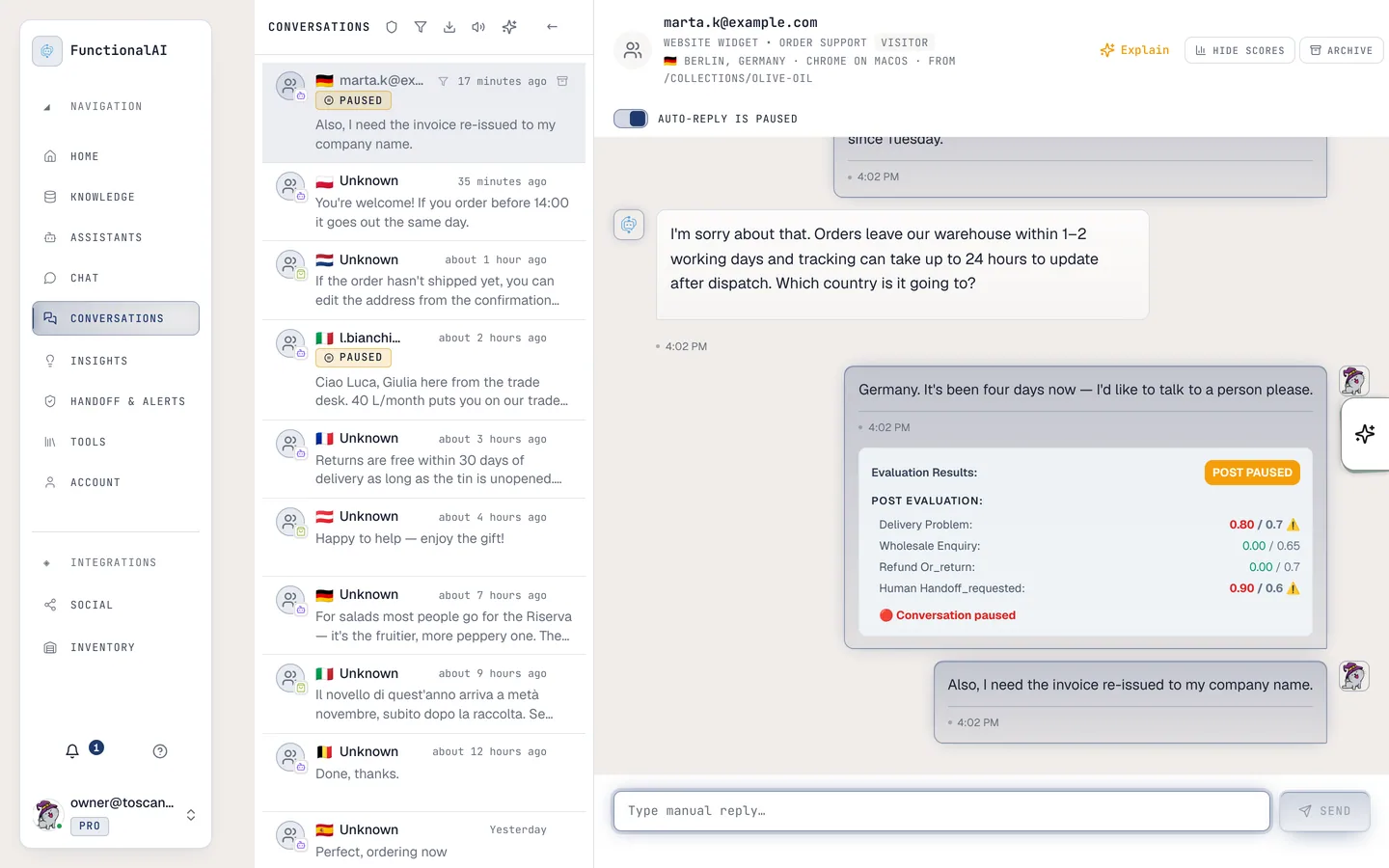
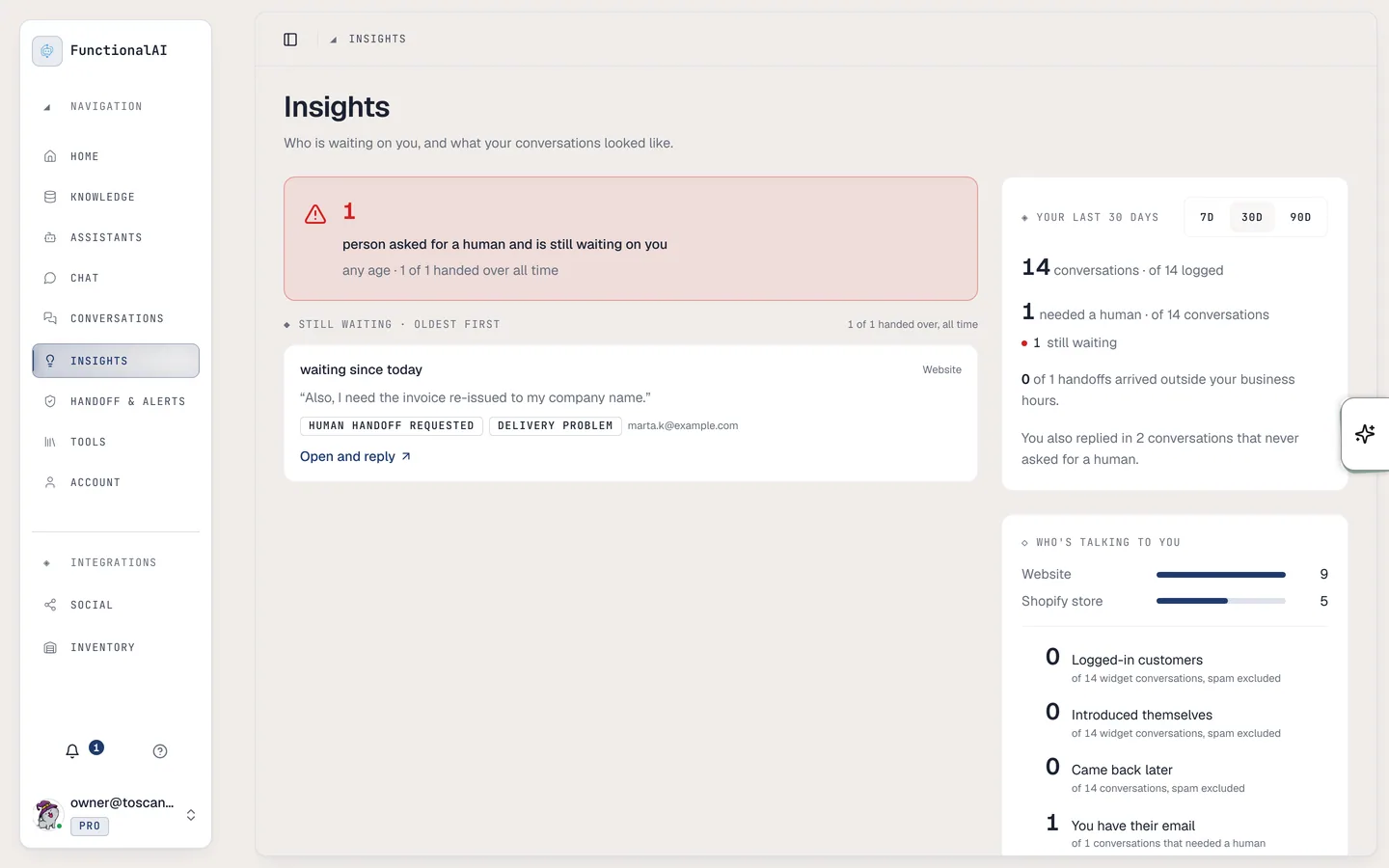
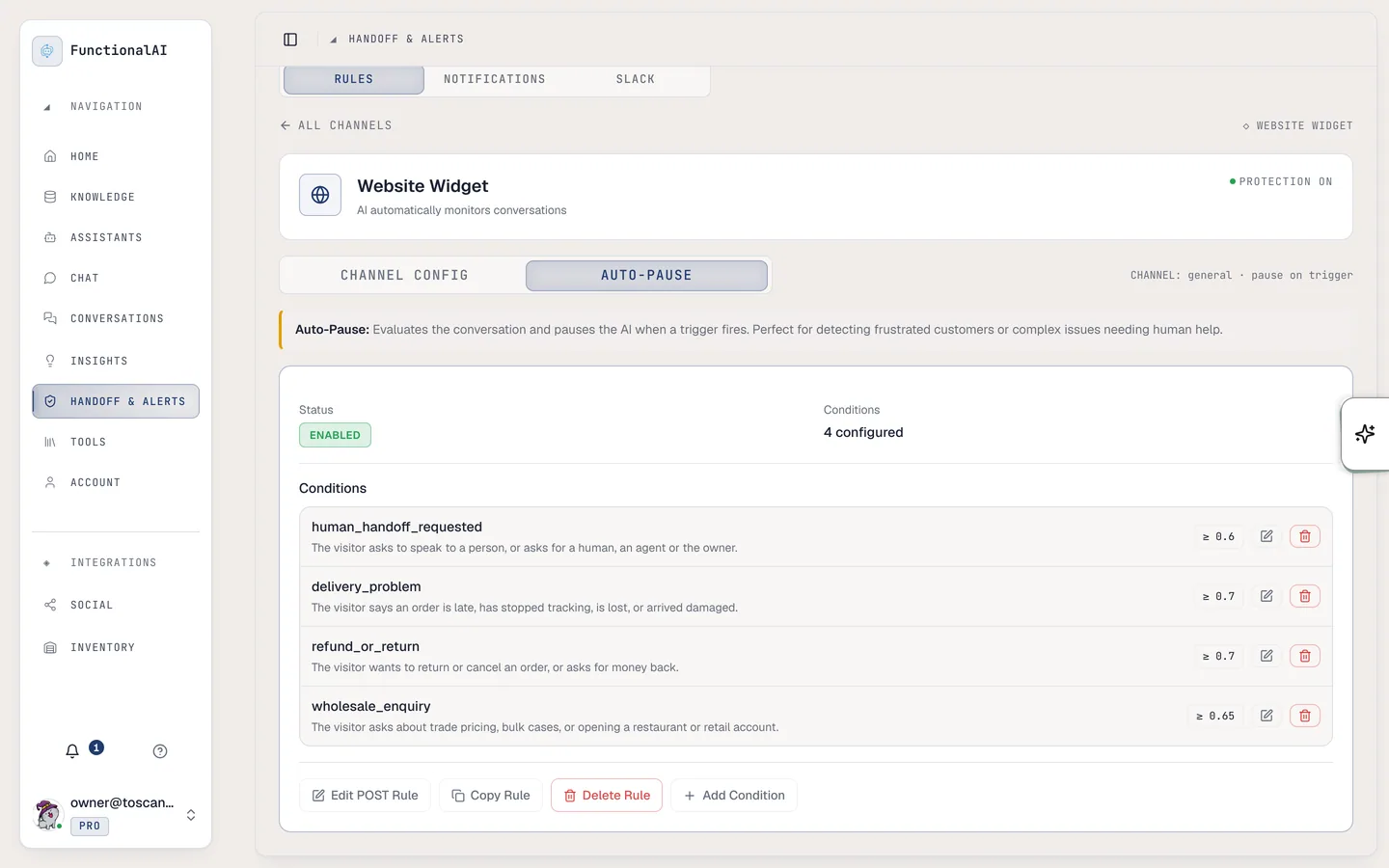
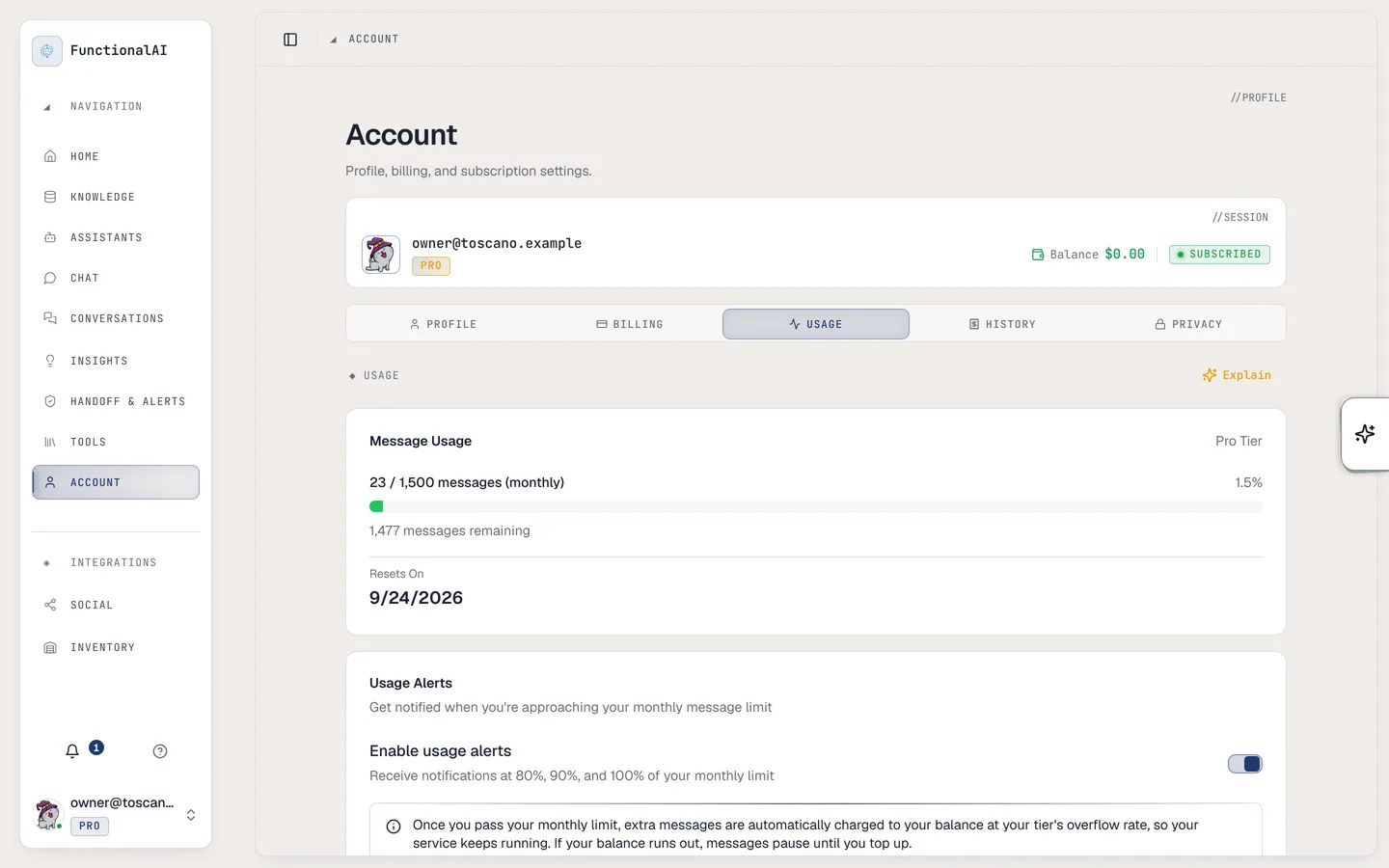
Figure 01 of 18: Three assistants, two of them public
What it costs
Pick a plan by how many messages a month your customers send. On Medium and Pro, extra messages are $0.10 each, paid from a balance you top up.
Free
$0free trial
No credit card required
- 100 messages, once
- 1 AI assistant
- 1 knowledge store
- 5 MB storage per store
Medium
Recommended$24.99/ month
Extra messages $0.10 each
- 400 messages / month
- 3 AI assistants
- 2 knowledge stores
- 30 MB storage per store
Pro
$99.99/ month
Extra messages $0.10 each
- 1,500 messages / month
- 8 AI assistants
- 5 knowledge stores
- 150 MB storage per store
Every plan, free included, has all of it. Plans differ only in the limits above.
- Website widget
- Shopify app
- Share links
- Human handoff
- Handoff alerts
- Insights
- Conversation export
Past your plan on Medium or Pro, extra messages are $0.10 each from a balance you top up, so your card is never charged per message and you decide the most you spend. The free plan is a one-time 100 messages with no card; upgrade whenever you like.
On Shopify? Install the app and you start on the free plan, with no charge.
Install on ShopifyFull comparisons:vs Gorgiasvs Intercomvs Tidiovs Chatty
Questions, answered
The things store owners ask before they switch it on.
Something else? Ask us directly
Your customers are already asking.
Put an assistant on your site that answers from what you know, and calls you in when a customer needs a person. 100 free messages to start, no card needed.
Free to install. Your storefront doesn’t change until you switch the chat on in your theme.
Install on Shopify